

Executive Takeaway: New Creative Assets Create a Testable ASO Opportunity
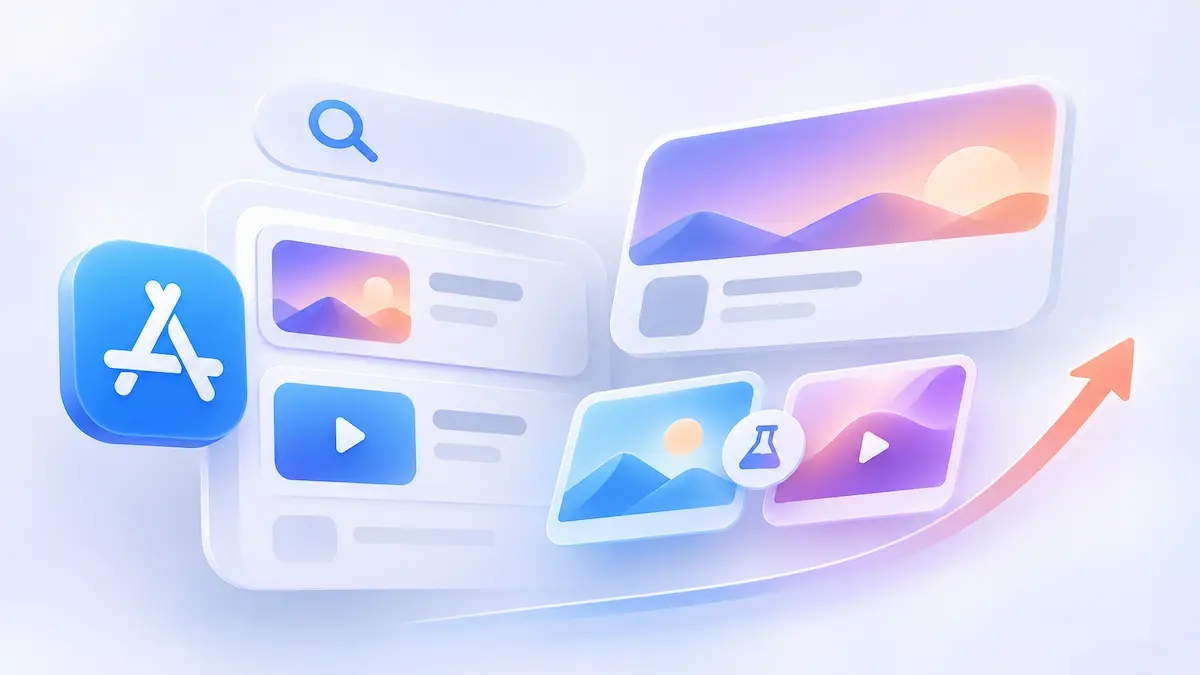
Apple’s new creative assets add visual placements in search results and product page headers, and teams can test their impact on conversion.
- Two distinct surfaces: Apple’s October update introduces App Store search result assets and the App Store product page header beyond in-use screenshots.
- Diagnostic priority: For apps experiencing stagnant user growth, teams should first determine whether the problem is low App Store visibility or poor download conversion before investing in new creative assets.
- Decision framework: Covers review boundaries, App Store Connect testing, and evidence interpretation.
Apple Introduces New Creative Placements and Tools
On October 5, 2026, Apple announced new creative placements and asset management tools:
| Update | What changed |
|---|---|
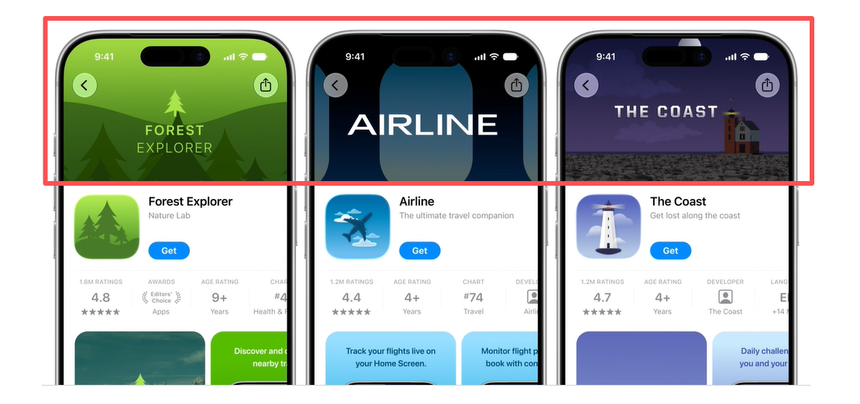
| Product page header | Teams can display new image or video creative assets at the top of the product page. |
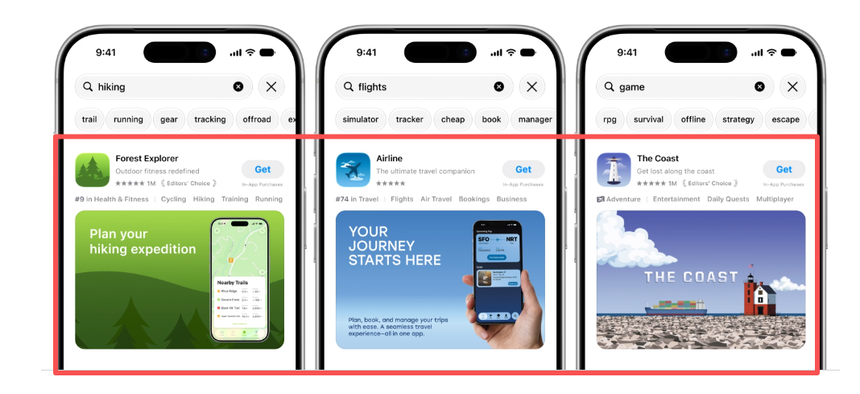
| Search result assets | Dedicated creative assets can appear directly within App Store search results. |
| Preview tool | Teams can inspect how assets and metadata look across devices, orientations, and Dark Mode before submission. |
| Asset Library | The App Store Connect Asset Library centralizes creative assets, screenshots, and app previews and supports advance review submissions. |
| Existing assets | App Store creative assets are distinct, complementary asset types alongside screenshots and app previews. |
New Creative Assets Must Earn Their Place Against Existing Visuals
Apple’s asset management guidance and asset best practices define how these assets can be used:
- Content: Creative assets can highlight brand identity, seasonal offerings, and new content. Apple’s guidance says to avoid unverifiable claims and not to include specific prices or discounts.
- Complementary formats: Creative assets work alongside screenshots and app previews on the product page. In search results, an image or video can appear in place of the default screenshots.
- Measurement: Assess visibility, search engagement, and conversion when diagnosing performance; compare test results to determine whether new images or videos improve download conversion compared with existing creative assets.
These practitioner judgments—not Apple rules—can help teams decide what to test:
- Screenshots clearly anchor value: Keep current visuals as the baseline; if existing screenshots already communicate the app’s value clearly, identify what the new creative assets could improve before adding them.
- Visuals look fragmented at card scale: Test a focused search asset—or a universal asset for visual continuity—around one use case.
- Incremental message is unclear: If the message is unclear, first define the app’s key selling point and target audience before investing time and resources in asset production.
Diagnose the Growth Bottleneck Before Producing New Assets
| Observed signal | Diagnostic question | Next direction |
|---|---|---|
| Low impressions | Are keyword indexing, competition, or traffic sources capping reach? | Investigate visibility and traffic sources before selecting a creative test. |
| Impressions with weak downloads | Do the images and messages shown in App Store search results clearly address what users are searching for? | Audit current search visuals against intent. |
| Weak product page conversion | Do header, screenshots, and value proposition align? | Build a header test hypothesis. |
- Role coordination: Coordinate ASO, creative, localization, and the team responsible for App Store Connect.
- OS eligibility: Creative assets appear on the App Store in iOS 27 and iPadOS 27 or later, according to Apple’s asset best practices. Consider your audience’s OS mix when planning a test.
- Diagnostic discipline: Do not rely on a single metric to identify the cause of poor performance. For example, a drop in download conversion may result from changes in traffic sources, user demand, or competition—not necessarily ineffective creative assets.
Build and Test Creative Assets Against a Clear Baseline
The example below outlines a pre-production test brief:
| Test field | Illustrative example |
|---|---|
| Problem | A productivity app’s product page conversion has stalled; the team suspects its existing visuals obscure the core use case. |
| Hypothesis | A product page header image that clearly shows what users can achieve with the app may help visitors understand its value faster than the current visuals. |
| Baseline | Live default product page and its current header state. |
| Treatment | Create one alternative product page header image that highlights the app’s primary benefit, and test it against the existing version. |
| Primary metric | First-time download conversion rate in App Analytics, if available for the test. |
| Decision | Predefined actions for a positive, negative, or inconclusive result. |
Execute the test in App Store Connect through four steps:
- Build compliant assets: Use Apple’s creative asset specifications and templates. Images cannot include alpha channels or transparency. Choose a universal image for visual continuity or images designed for each placement.
- Submit via Asset Library: Upload assets or use the App Store Connect API. Check previews for Dark Mode, devices, and localizations. Submit creative assets for standalone review or include them with an app version submission. Approved assets can then be applied to supported placements. See asset management guidance.
- Configure a PPO test: Use product page optimization to test alternative header visuals, as described in Apple’s asset best practices. Custom product pages can also use creative assets; check current test eligibility and configuration in App Store Connect.
- Evaluate the result: Review the available results against your baseline and predefined decision criteria before applying a variant, continuing the test, or withholding judgment.
A Conversion Change Is Evidence, Not an Automatic Explanation
- PPO results can help compare visual variants. If a variant changes several elements at once, the result alone may not isolate which element drove a shift.
- Pre/post launch comparisons show directional performance, but cannot rule out seasonality, paid acquisition, or app releases as confounding factors.
- Comparisons across product pages show engagement trends, but cannot establish that one asset beats another when different audiences see them.
Use these safeguards when planning and interpreting a test:
- When to defer creative tests: If your team cannot explain why relevant users miss your listing, audit traffic sources and keyword indexing before prioritizing asset tests.
- Handling low-volume tests: Avoid declaring a winner from early fluctuations; set review checkpoints and decision criteria upfront.
- Accounting for OS coverage: Creative assets appear on iOS 27 and iPadOS 27 or later. Consider the OS composition of the test audience when interpreting the result.
- Choosing next actions: Use the test results to decide what to do next. If the new asset performs significantly better, consider adopting it. If it underperforms, revise the creative message. If the results are inconclusive, continue collecting data before making a decision.
Turn New Creative Placements Into a Measurable ASO Strategy
App growth teams can operationalize this update through a disciplined Audit → Test → Learn cycle: audit existing search-card and header messaging against Apple’s asset guidance, plan baseline-controlled experiments, and evaluate results before scaling production.
FAQ: Practical Edge Cases for ASO and Growth Teams
Do App Store Connect creative assets automatically run in Apple Ads campaigns?
Apple’s WWDC presentation describes using these images and videos to create ads for the Today tab or Search Results through Apple Ads, as well as using them with custom product pages. The presentation does not say that uploading an asset automatically starts an ad campaign.
How do search result creative assets interact with screenshots and In-App Events?
On iOS 27 and iPadOS 27 or later, a search result image or video can appear in place of the default screenshots. Apple also supports creative assets for In-App Events; check the current event display rules when planning concurrent promotions.
Why do headlines or key UI elements get clipped on product page headers and search cards?
Elements outside the Art Safe Area may be cropped on different devices or orientations. Extend background imagery into the Auxiliary Art Area and keep critical artwork inside the safe area. Dedicated header assets use a 21:9 canvas, search assets use 3:2, and the universal asset has a separate 16:9 specification. Verify the result in Preview.
Why do search result creative videos play without an unmute button?
Search result videos are currently muted by default and cannot be unmuted. Product page header videos are also muted by default, but viewers can unmute them. Videos loop continuously in both placements. Search videos must be 5 to 30 seconds long, so design the message to work without sound.
Can creative assets be reviewed before an app update?
Yes. You can submit creative assets for standalone review through Asset Library or include them with an app version submission. Once approved, assets can be used in supported placements without another review, as demonstrated in Apple’s WWDC session.