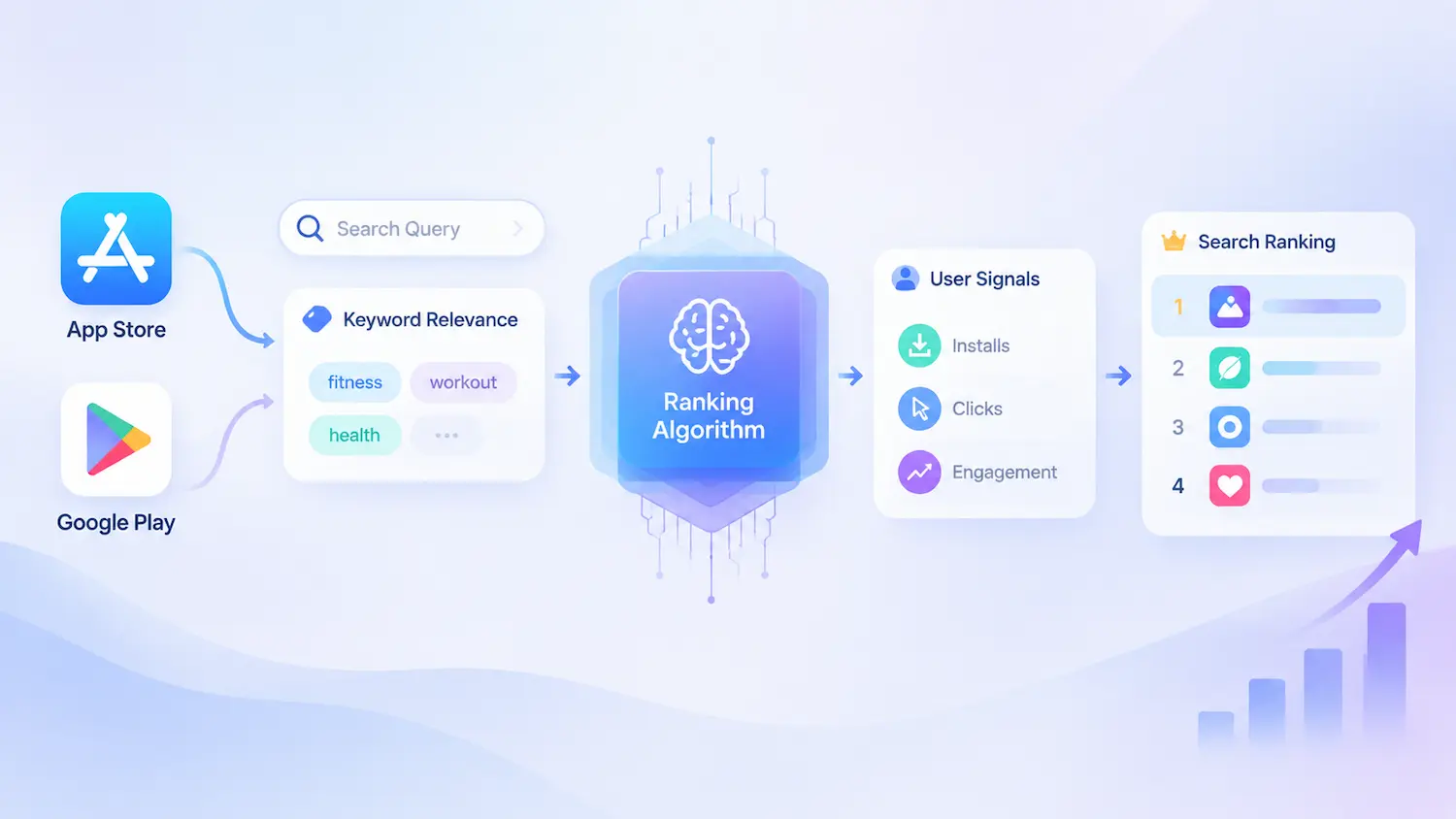
Apple does not publish exact App Store keyword search volume — it provides a relative Keyword Popularity score, while Google Play does not provide a comparable public keyword popularity metric. This distinction matters because app keyword volume should not be interpreted as a literal search count. It is one signal for evaluating keyword opportunities, alongside relevance, competition, and conversion potential.
Apple’s own Search Popularity data also has limited coverage. Independent analyses of Apple’s Search Term Popularity dataset suggest coverage of roughly a few thousand search terms per country, drawn from the highest-ranked terms across App Store categories — though Apple has not published an exact figure. This means many long-tail keywords are still not represented.
This article explains what Apple actually publishes, what search volume really means, how to estimate and use it, and how to build a keyword strategy that works across both stores.
Key Takeaways
- Apple provides a relative Keyword Popularity score, not exact search volume.
- Some ASO platforms reported reduced granularity in Apple’s Search Popularity data in late 2025.
- ASO tools estimate volume differently across models.
- Keyword success depends on demand, relevance, difficulty, and conversion.
What Apple Actually Publishes About App Store Keyword Search Volume
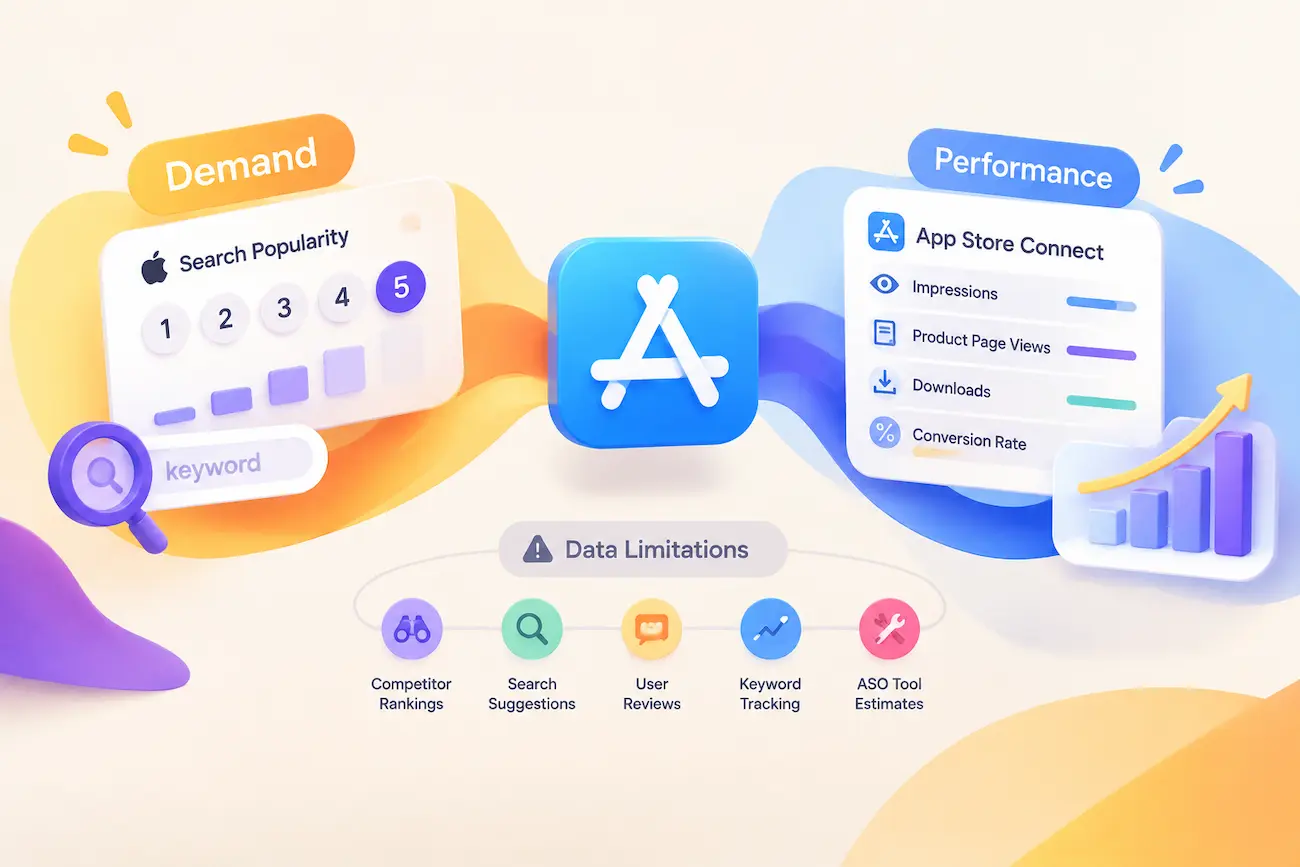
Apple gives developers two kinds of signal, and each answers a different question. Demand indicators estimate how much interest a keyword attracts. Performance data shows whether that interest becomes real user actions. The two are complementary, and neither replaces the other.
Apple Ads Search Popularity
Search Popularity is the closest metric Apple provides to keyword search volume. Available through Apple Ads (formerly Apple Search Ads), it shows how frequently users search for a keyword compared with other searches in the same market. Apple displays Search Popularity on a 1-to-5 scale, where 5 represents the highest popularity level.
ASO platforms often normalize Apple’s Search Popularity signal into broader scales, such as 5–100, to make keyword comparison easier. The two scales don’t share a starting point — on the wider scale, the lowest possible value is 5, not 1 — so a “5” can mean the top tier or the bottom, depending on which scale you’re reading.
App Store Connect Performance Data
Search Popularity estimates keyword demand before users discover an app. App Store Connect shows what happens after visibility is created.
App Store Connect provides first-party performance data, including impressions, product page views, downloads, and conversion rates across sources, territories, and time periods. However, standard performance reports do not provide a complete keyword-level view that connects individual impressions or downloads to specific search terms.
A keyword with strong search interest may still underperform if the app metadata or product page does not match user intent. Meanwhile, a lower-volume keyword can generate valuable installs when it attracts users with a stronger fit for the app.
App Store Connect helps validate whether keyword demand translates into real user actions, such as product page visits and installs.
When Apple’s Keyword Data Became More Limited
In late 2025, ASO platforms observed a major shift in Apple’s Search Popularity data — ASO.dev reported that starting September 29, 2025, the number of U.S. App Store keywords with popularity above 5 dropped by roughly 77%, with most mid-range keywords collapsing to the lowest possible value.
The important distinction is that user demand did not necessarily disappear. Instead, Apple’s available signals became less effective for comparing many long-tail keyword opportunities through first-party data alone.
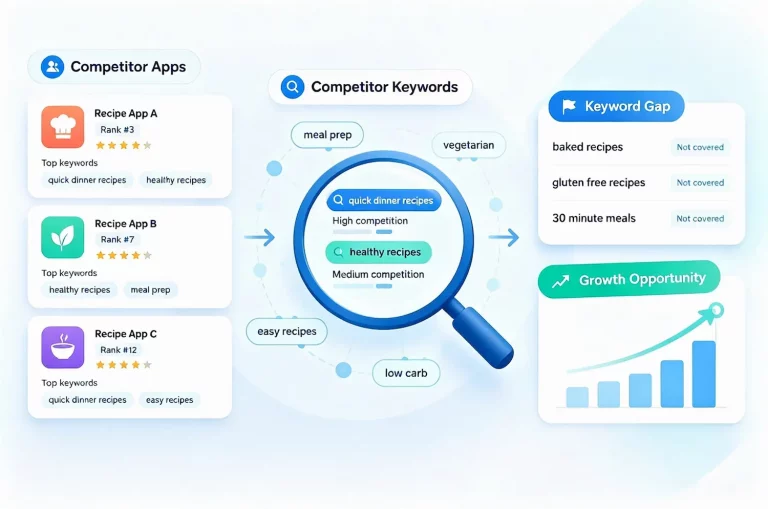
These changes increased the importance of combining multiple research sources. Competitor rankings, search suggestions, user reviews, keyword tracking data, and ASO tool estimates can help fill the gaps left by limited first-party visibility.
What App Store Keyword Search Volume Means
App Store keyword search volume is an estimate of how often users search for a specific term over a given period. Apple does not publish exact search counts, so most ASO tools estimate demand using keyword popularity scores and other signals.
Popularity and search volume are related but not identical: popularity is a relative indicator of search interest, while search volume is an estimated measure of keyword demand. Neither metric shows ranking difficulty, search intent, or whether a keyword can attract valuable users.
For ASO teams, search volume is a starting signal, not a decision rule. A strong keyword combines meaningful demand with relevance, achievable competition, and the potential to drive conversions.
How ASO Tools Estimate Keyword Search Volume
Apple’s own numbers only go so far. Most keyword research happens inside third-party ASO tools, each with its own “search volume” figure for the same term.
Where App Store Optimization Keyword Search Volume Numbers Come From
Third-party App Store keyword volume strategy numbers aren’t measured — they’re modeled. ASO tools typically combine Apple’s Keyword Popularity score with their own datasets, such as keyword rankings, competitor visibility, and estimated demand trends. None of these inputs represents an actual search count on its own; the final estimate comes from combining multiple signals through a proprietary model.
Search Popularity scores can also be used as directional indicators for estimating keyword demand. However, these scores do not directly represent exact search volume or impressions. Some industry studies have attempted to model the relationship between Search Popularity and potential impressions, but the results should be treated as estimates rather than guaranteed traffic forecasts.
The relationship is not linear — a change from popularity 50 to 60 represents a much larger estimated increase than a change from 20 to 30.
However, the model remains an estimation based on assumptions about the relationship between popularity and impressions, not Apple’s actual search volume data.
Why Two Tools Show Different Numbers for One Keyword
Different ASO platforms produce different estimates because each model combines different data sources, ranking signals, and update cycles. Therefore, keyword search volume should be used for comparison rather than treated as an exact measurement.
Search volume estimates are most useful as directional references — helping compare keywords, identify opportunities, and monitor changes over time. In practice, volume is only one factor; relevance and user intent determine whether a keyword can actually drive growth.
Google Play: Different Data, Different Method
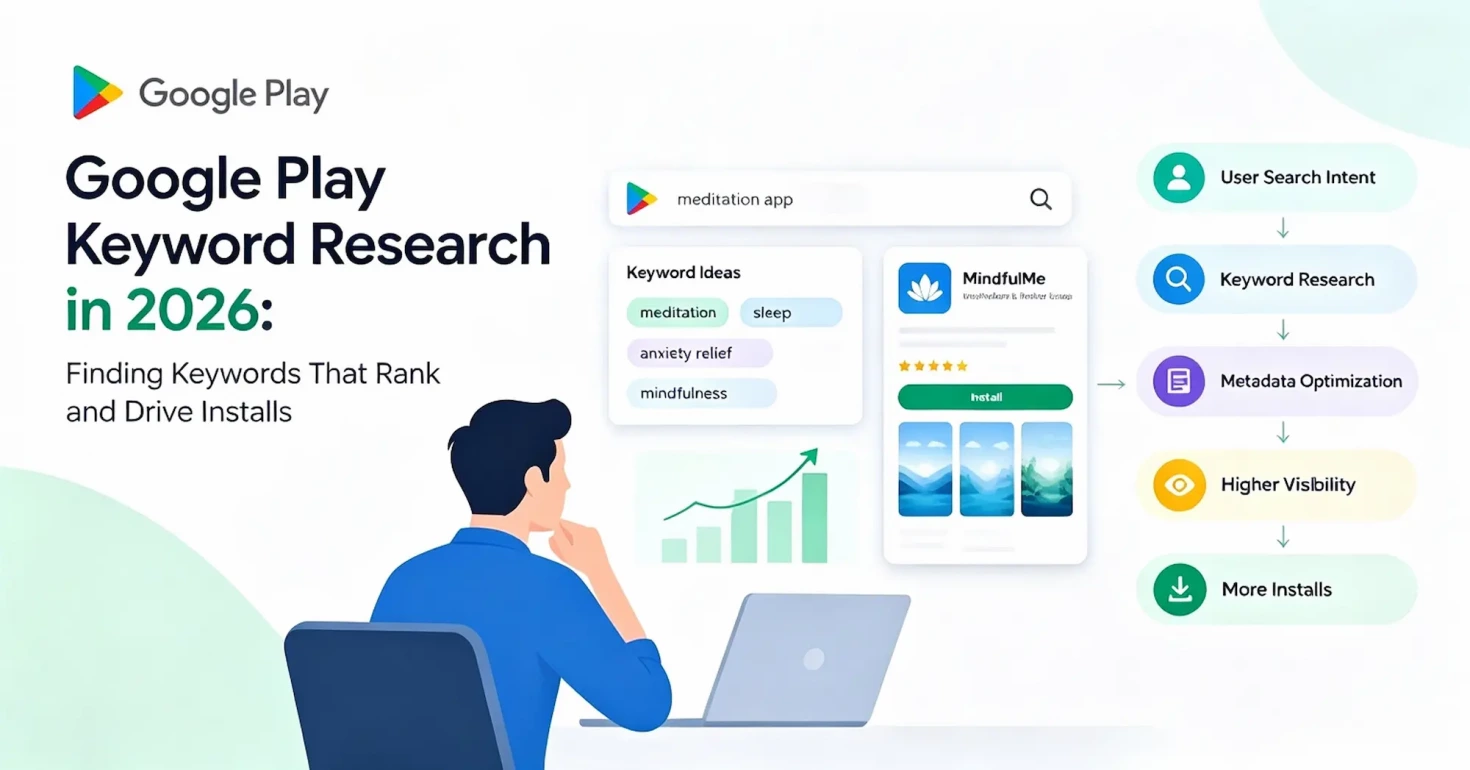
Google Play keyword research requires a different approach from App Store optimization because the two platforms expose different types of data. A dedicated Google Play keywords research workflow focuses more on search intent, listing relevance, and competitor signals.
Google Play Has No Public Popularity Metric
Apple’s Search Popularity and the third-party estimates built around it depend on a public keyword-level signal. Google Play exposes no comparable score for relative search demand.
As a result, Android keyword search volume estimates from ASO tools are created without a first-party popularity signal to anchor them. This makes Google Play keyword research fundamentally different from iOS research, not simply a case of having less data.
Why Google Does Not Expose a Similar Metric
One key difference comes from how the two advertising systems are designed. Google Play’s App campaigns use automated targeting: advertisers provide assets and budgets, while Google’s systems determine relevant search terms, audiences, and placements.
Unlike Apple Ads, advertisers do not manually select and bid on individual keywords. Without keyword-level bidding as the foundation of the advertising workflow, Google has less reason to expose a keyword popularity score in the same way Apple does.
This does not mean Google Play lacks search advertising. App campaigns can show ads within Google Play search results and across other Google properties. The difference is that Google does not provide a public per-keyword demand metric comparable to Apple’s Search Popularity.
Google Keyword Planner Is a Web Proxy, Not Store Data
Many marketers use Google Keyword Planner as a reference when researching Android keywords, but it measures a different search environment. It shows demand on Google Search, not searches performed inside the Google Play Store.
The two surfaces can overlap because users may express similar intent across web and app searches. However, Keyword Planner data comes from different users, behaviors, and measurement systems.
This makes Keyword Planner useful for identifying broad trends and user language, but it should not be treated as Google Play search volume. Web search demand and in-store search demand are related, but they are not interchangeable.
App Store vs Google Play: Two Different Methods
Apple and Google approach keyword discovery differently because they expose different levels of search data.
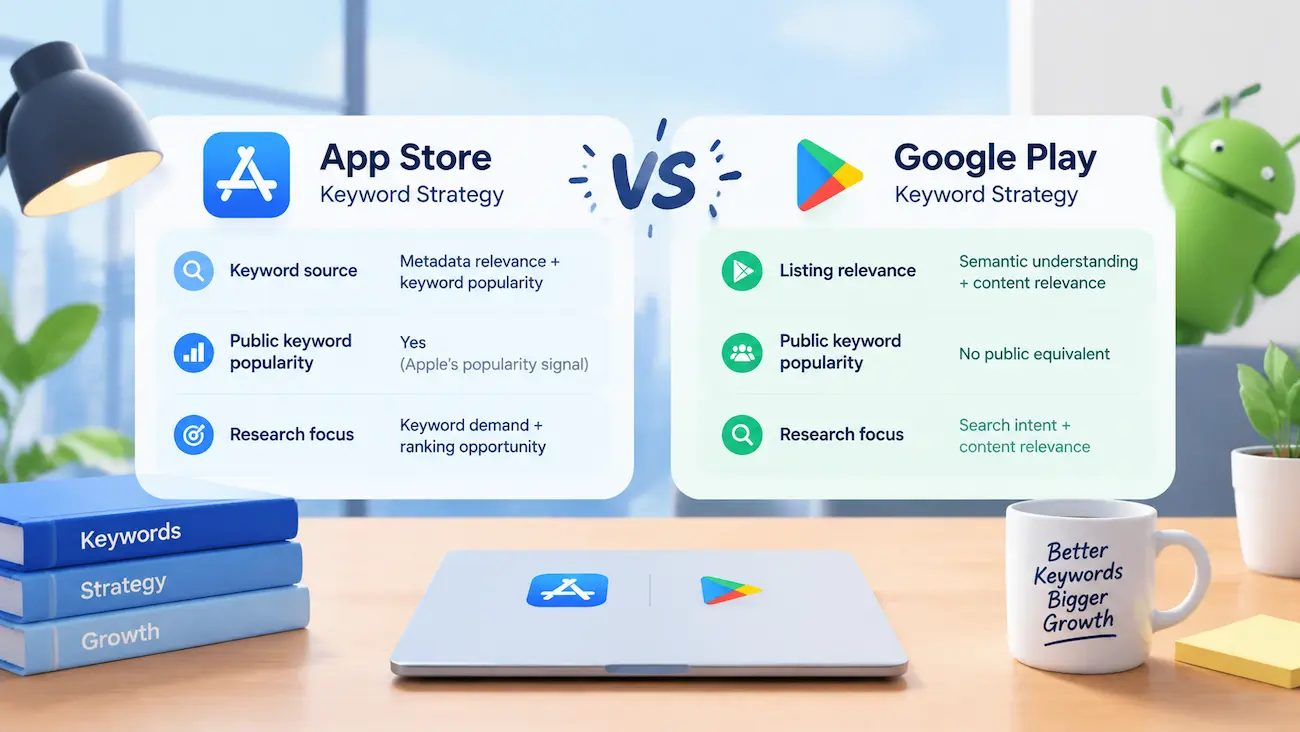
On the App Store, developers can use Apple’s Search Popularity as a demand signal. This allows keyword research to combine two dimensions:
- Demand: How much interest a keyword receives.
- Opportunity: Whether an app can realistically rank and convert for that term.
Without that popularity signal, Android keyword research relies more heavily on indirect signals, including:
- Search intent behind user queries
- Listing relevance and semantic coverage
- Competitor rankings and metadata patterns
This creates a different optimization approach. App Store research often starts with identifying demand and then evaluating competition, while Google Play research focuses more on whether the listing content clearly matches user intent.
The takeaway is not that one platform is easier to research than the other. The difference is that iOS-style popularity-based keyword strategies do not transfer directly to Android.
How to Score a Keyword
Search demand is only the starting point for keyword evaluation. A high-volume keyword is not always the best opportunity. A practical keyword score should consider four factors together: demand, relevance, difficulty, and conversion potential.
Demand measures whether users are searching for the term. Apple’s Search Popularity provides a relative demand signal on the App Store, while Google Play research relies more on indirect indicators. However, demand only shows potential interest — it does not determine keyword value.
Relevance measures whether the keyword matches the app’s core value proposition. A high-demand term that attracts the wrong users may increase visibility without generating meaningful conversions.
Difficulty evaluates whether an app can realistically compete for the keyword based on factors such as ranking competitors, ratings, reviews, and ranking stability.
Conversion Potential considers whether users who discover the app through the keyword are likely to take valuable actions, such as installing or continuing to use the app. Keywords with stronger intent often outperform broader, higher-volume terms.
A practical framework can give more weight to Demand and Relevance because both audience interest and app fit are required for a keyword to create value. For example, a starting model could use Demand 30%, Relevance 30%, Difficulty 20%, and Conversion Potential 20%. These weights are not fixed rules — teams can adjust them based on their goals and market position.
One important limitation is that Apple provides demand signals but no official keyword difficulty score. Competition must be estimated by analyzing ranking apps, market strength, and competitor performance.
| Factor | Question |
| Demand | Are users searching for it? |
| Relevance | Does it describe the app? |
| Difficulty | Can the app realistically compete? |
| Conversion Potential | Are these users likely to convert? |
Turning Keyword Popularity Into Download Estimates
Turning demand signals into install estimates requires assumptions about visibility, clicks, and conversion behavior — three variables that shift with every metadata or creative change you make.
From Search Popularity to Impressions
Apply this model to a real popularity score, and the exponential curve shows up clearly: moving from 20 to 40 (a 2x increase in popularity) can translate into a 5x–10x jump in impressions, not just double. This is part of why high-popularity keywords are so competitive — the marginal gain in exposure often far exceeds what a linear model would predict.
From Impressions to Installs
Impressions only create value once they convert into product page visits and, ultimately, installs. A simplified estimation model is:
Potential Installs ≈ Impressions × Click-Through Rate (CTR) × Conversion Rate (CVR)
For example, a keyword generating 5,000 estimated daily impressions, with a 3% CTR and a 25% product page conversion rate, could produce:
5,000 × 0.03 × 0.25 ≈ 38 potential daily installs
These CTR and CVR figures are example assumptions, not fixed benchmarks. They’re shaped by several factors:
- What affects CTR: icon recognizability, title appeal, how closely the keyword matches user search intent, and competing rankings on the same term
- What affects CVR: product page copy, screenshot/preview video quality, ratings and review volume, pricing strategy, and whether the listing actually delivers on what the keyword promised
The complete iOS keyword opportunity flow is:
Search Demand → Ranking Visibility → Impressions → Product Page Visits → Conversion → Installs
Using This Framework for Prioritization
Chasing the highest-popularity keywords isn’t necessarily the best strategy — high popularity usually means tougher ranking competition, which can erode your CTR/CVR assumptions in practice. A more practical approach:
- Prioritize keywords with moderate popularity but a strong conversion path — ones closely relevant to your app, where your product page assets (screenshots, description, ratings) can actually support the assumed conversion rate.
- Use the formula for relative comparison, not absolute prediction — compare estimated installs across multiple keywords under the same set of assumptions to identify better opportunities, rather than treating any single number as precise.
- Track how creative changes actually move CTR/CVR — for instance, monitor real conversion rate shifts after updating screenshots, and use that data to recalibrate your assumptions over time.
Scope of Applicability
This calculation framework applies only to iOS, since it starts from Apple’s Search Popularity signal. Therefore, the same estimation model cannot be directly transferred to Android, where keyword research relies on different signals — such as competitor analysis, search intent, and listing relevance.
How to Research and Evaluate Keyword Search Volume Step by Step
Understanding keyword search volume is only useful when it can be turned into a repeatable research process. A practical workflow combines demand signals with relevance, competition, and performance data to identify keywords that are worth targeting.
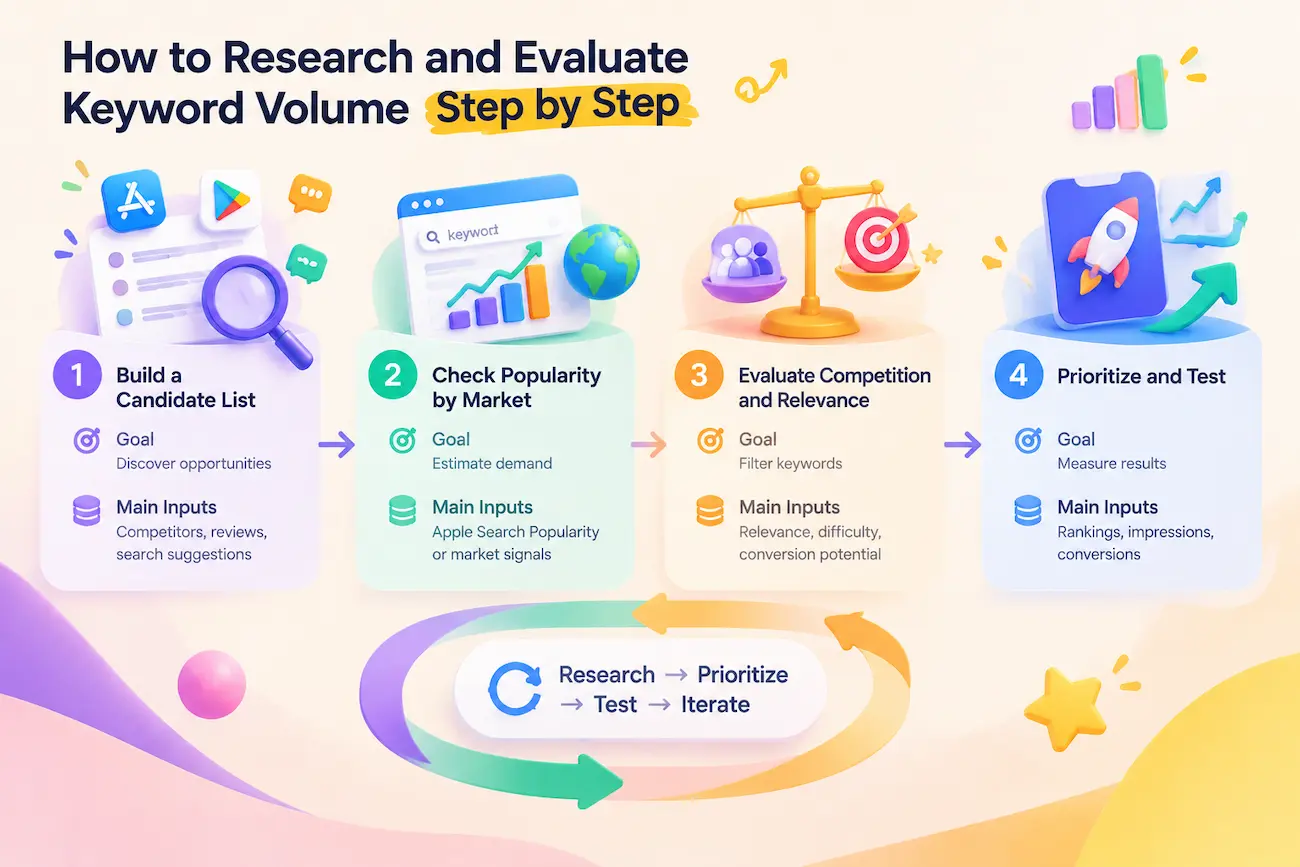
| Step | Goal | Main Inputs |
| Build a Candidate List | Discover opportunities | Competitors, reviews, search suggestions |
| Check Popularity by Market | Estimate demand | Apple Search Popularity or market signals |
| Evaluate Competition and Relevance | Filter keywords | Relevance, difficulty, conversion potential |
| Prioritize and Test | Measure results | Rankings, impressions, conversions |
At this stage, the goal is not to find the “highest-volume” keywords. It is to build a keyword pool and evaluate which opportunities can realistically support growth.
Step 1: Build a Candidate List
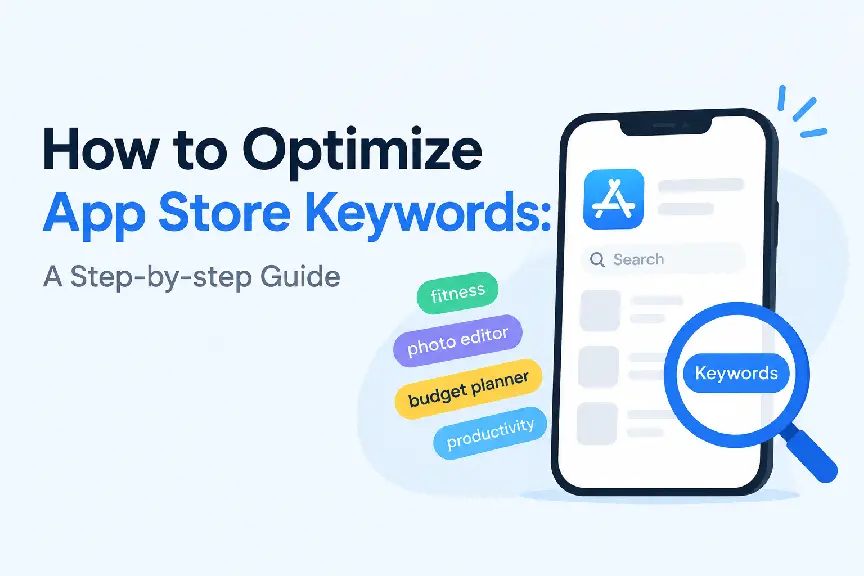
Start by collecting a broad set of potential keywords from multiple sources. A structured App Store keyword optimization process can help organize these ideas into a focused keyword strategy.
Competitor listings — analyze titles, subtitles, and metadata from apps ranking well in your category. App Store competitor keywords analysis can help identify ranking gaps and keyword opportunities.
User reviews — identify the language users naturally use to describe problems, features, and desired outcomes.
Autosuggest and related terms — search suggestions reveal how users phrase their queries.
Category research — broader category and use-case terms help define the market your app competes in.
The goal is coverage, not final selection. Build a keyword pool first, then evaluate each term based on demand, relevance, and competition.
Step 2: Check Popularity by Market
App Store keyword search volume varies across countries and regions, so evaluate it on a market-by-market basis instead of relying on a single global assumption.
Look at both current popularity and longer-term trends. A keyword with steady growth may represent a stronger opportunity than one that has already peaked.
Developers can access Apple’s Search Popularity data through Apple Search Ads without needing to run paid campaigns, making it a useful first-party signal for App Store keyword research.
Step 3: Evaluate Competition and Relevance
High popularity does not automatically make a keyword valuable. For each candidate, evaluate:
Ranking difficulty — whether your app can realistically compete for visibility.
Competitor strength — how established the current ranking apps are.
Relevance — whether the keyword accurately represents your app and matches user intent.
A simple way to make this actionable is to assign each keyword a rough score — for example, low/medium/high — across these three dimensions, then rank the candidate list by combined score rather than by popularity alone. This step removes keywords that may have demand but are unlikely to generate meaningful results.
Step 4: Prioritize and Test
After identifying promising keywords, add them to your metadata strategy and monitor performance over time.
Track changes in:
- Keyword rankings and visibility
- Product page impressions
- Conversion rate and installs
Keyword research is not a one-time task. Ranking changes, competitor strategies, and user behavior can shift over time, so results should continuously inform the next round of optimization.
Where to Put Keywords in App Store and Google Play
Field placement determines whether a keyword can contribute to search visibility at all. The goal is precision: put keywords where search algorithms can use them, while keeping user-facing copy clear and natural.
App Store Fields and Their Limits
Apple provides three main indexed fields — App Name, Subtitle, and Keyword Field — plus one commonly misunderstood field that does not function as a keyword slot.
App Name and Subtitle are each capped at 30 characters and both contribute to App Store search relevance. The App Name is generally considered the strongest keyword signal, followed by the Subtitle. The Keyword Field is hidden from users and limited to 100 bytes (including commas). Keywords are separated by commas, and unnecessary spaces do not add keyword value. Because space is limited, avoid repeating words already used in the App Name or Subtitle.
Promotional Text is a common source of confusion, with many developers treating it as another keyword field. It is not indexed for App Store search. This 170-character field can be updated without submitting a new app version for review and is designed to highlight timely updates, promotions, events, or feature announcements. Adding keywords here will not improve search indexing and may make the message less natural. Use Promotional Text to communicate value to users, not to target search terms.
Google Play Fields and Their Limits
Google Play flips the model: fewer dedicated slots, more indexed prose, it does not provide a hidden keyword field. Instead, developers need to optimize visible listing metadata, including titles and descriptions, while following Google’s metadata policies.
This changes the writing strategy. On iOS, additional keywords can be placed in a hidden field that users never see. On Google Play, keywords need to work inside readable sentences because the same text supports both search understanding and user conversion.
Covering important keywords naturally throughout the Long Description is generally more effective than forcing a single exact-match mention. Repeating terms excessively can make the listing feel unnatural and may reduce readability for users.
Character limits and metadata requirements can change over time, so always verify the latest requirements in App Store Connect and Google Play Console before updating your listing.
How Many Keywords Should You Target
The honest answer is: as many as fit, not as many as exist. Keyword opportunities are nearly unlimited, but metadata space is not. App Store limits and Google Play listing fields determine how many keywords you can realistically target.
This is why prioritization matters more than collection. A strong keyword strategy focuses on terms that balance relevance, demand, competition, and user intent — not simply adding every keyword you discover.
Custom Product Pages do not expand indexed keyword space, but they help extend targeting opportunities. By creating different product page versions, developers can match different audiences and test which keyword-to-creative combinations perform best. The goal is not to target more keywords, but to target the right keywords effectively.
Read Volume by Country
Keyword demand is not universal — it changes by country, language, and app category. A keyword with strong demand in the US market may show very different popularity levels in Germany, Japan, or other regions, even for the same type of app. Search behavior, language habits, and market size all influence how users discover apps.
Many keyword research tools allow developers to compare keyword estimates across different countries, making it easier to identify localization opportunities. However, these numbers should be evaluated within the context of each market rather than treated as directly comparable search demand.
Do not assume an English keyword list will perform the same way elsewhere. Each target market should be reviewed separately by checking local demand, relevance, competition, and user intent. Translation is only the first step — effective localization requires understanding how users actually search and describe their needs.

Common Mistakes
Four mistakes can weaken an otherwise strong keyword strategy, affecting visibility, conversion, and growth.
1. Choosing keywords by volume without considering intent
High-volume keywords may attract users who are unlikely to convert when search intent does not match the app. A keyword should represent both user demand and the problem your app solves.
2. Treating tool estimates as exact data
App keyword volume and difficulty scores are directional estimates, not guarantees. not guarantees. Use them as signals, not as the only basis for keyword decisions.
3. Using the same strategy across both stores
App Store and Google Play handle keywords differently. Reusing the same keyword list across both platforms can waste metadata space or reduce listing readability.
4. Using trademarked or irrelevant competitor terms
Apple restricts metadata manipulation through trademarked or irrelevant keywords. Violations may result in App Review rejection or requests to revise metadata.
Research Worksheet
Every keyword decision in this guide — volume, difficulty, relevance, store placement — should connect to one working document. Mark each keyword’s Store as iOS, Google Play, or Both, since the two platforms index keywords differently and a shared list can’t assume they work the same way.
Scoring:
Volume and Difficulty — Low/Medium/High.
Relevance — 1–5, scored manually (5 = matches your app’s core function; tools can’t judge this).
Priority — Low/Medium/High, your final call weighing all three, not an average of them.
| Keyword | Store | Volume | Difficulty | Relevance | Priority | Notes |
| travel planner app | iOS | High | High | 5 | Medium | Strong fit, but top ranks held by established apps — worth testing, not leading with |
| road trip itinerary planner | Both | Medium | Low | 5 | High | Best balance of demand and winnable competition; place in App Name/Subtitle |
| packing list | Google Play | Medium | Medium | 3 | Low | Relevant but broader than our audience; monitor, don’t target yet |
Notes captures why a keyword got its priority, so revisiting the list later doesn’t mean re-deriving the judgment from scratch. Targeting multiple markets? Keep a separate worksheet per country — demand varies by storefront.
Use one worksheet per app and revisit it whenever metadata changes — keyword demand shifts over time.
Your Keywords Are a Budget, Not a Wishlist
Your keyword space is a budget, not a wishlist. On the App Store, every indexed field has strict character limits; on Google Play, every word in your listing contributes to how Google understands your app. Whichever platform you’re on, each keyword is a line item — and it needs to earn its place, or it’s spending space you don’t have to spare.
The goal of ASO keyword research is building a repeatable system: identify demand, validate relevance, test performance, and continuously refine your keyword portfolio. It’s about investing limited space in keywords that balance relevance, keyword search volume, competition, and user intent. High search volume without relevance just buys wasted traffic. A difficulty score without market context is a guess wearing a decimal point.
So don’t just close this guide — open App Store Connect or Google Play Console and review your current keywords against the principles covered here. Somewhere in that list is a keyword that isn’t pulling its weight. Find it, and you’ve already made your metadata work harder for your app.