

Key Takeaways
- The Made for iPhone Duo Badge Rewards Real iPhone Duo Support, Not Metadata Tricks
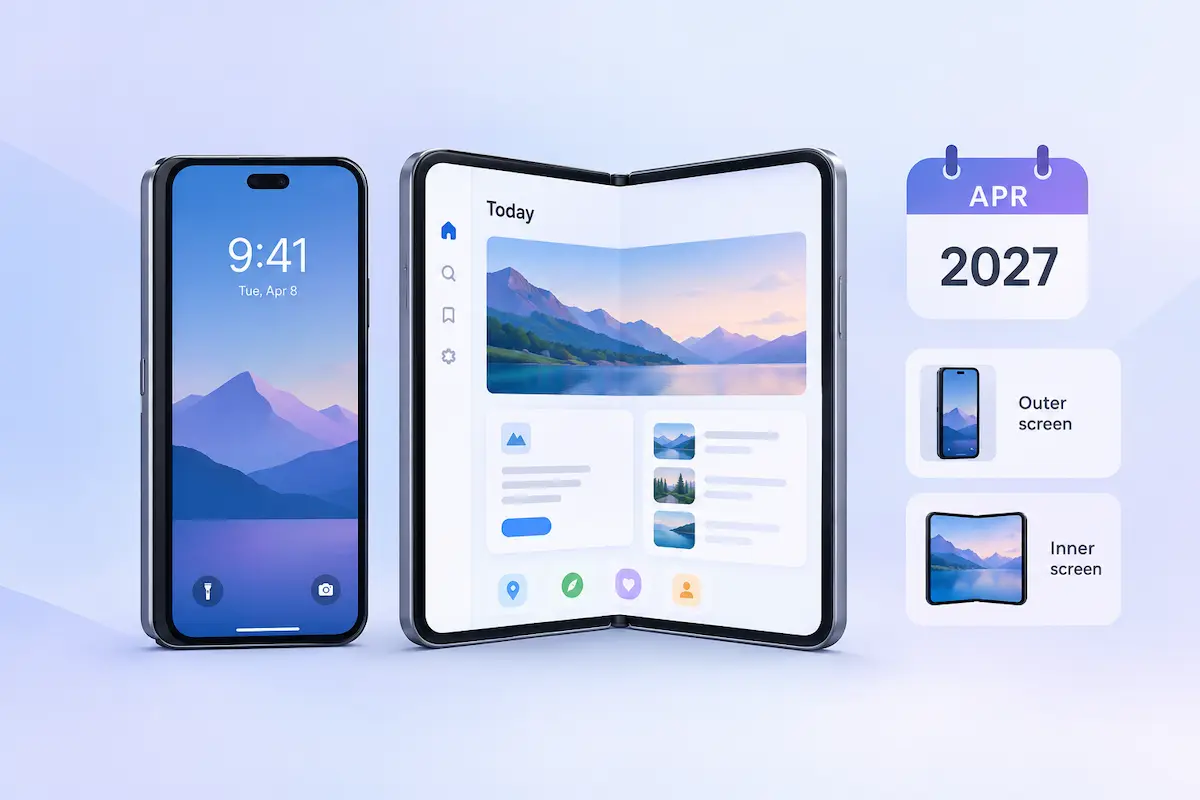
- Apple’s Made for iPhone Duo badge appears on your product page once you submit iPhone Duo screenshots in App Store Connect. It can improve browse visibility and conversion, and it matters most before April 2027, when screenshots become mandatory for apps using the iOS 27.1 SDK or later. Metadata changes alone will not earn it.
- Featuring eligibility: Optimized apps are eligible for Apple’s dedicated collections.
- Visible trust signal: The badge can help convert existing traffic without extra ad spend.
Why You Should Act Before April 2027
In our experience, keyword tweaks alone move rankings less than they used to. Apple’s demand for apps that support iPhone Duo is a new lever, and acting early gets you visibility before the badge becomes standard.
| Phase | Timing | What happens |
| Voluntary submission | October 2026 | App Store Connect opens for submissions on October 5; the device launches October 23. |
| Early-mover window | November 2026 – March 2027 | Fewer apps carry the badge, so it stands out on product pages. |
| Mandatory screenshots | April 2027 onward | Screenshots are required for apps using the iOS 27.1 SDK or later, so the badge will likely become common. |
Apps that wait until the requirement starts lose the chance to stand out early. Apple’s first collections of optimized apps went live with the device on October 23.
What Apple Requires: Screenshots, Badge Display, and Collections
Apple ties the Made for iPhone Duo badge to iphone duo app store screenshots uploaded in App Store Connect. Apple also launched dedicated collections of optimized apps and games.
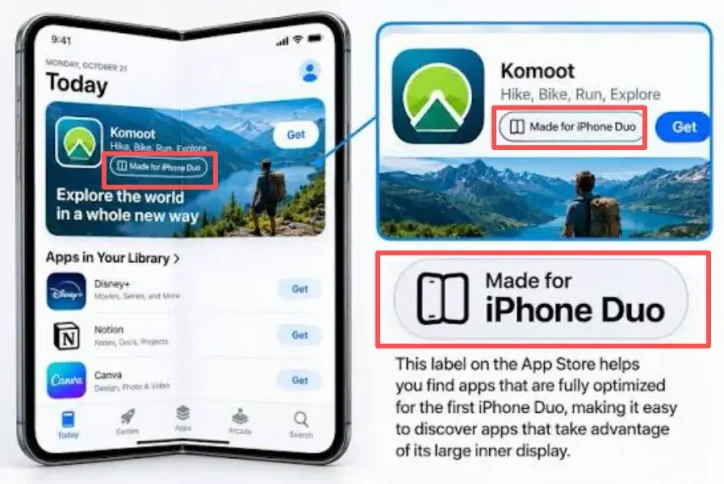
- Where the badge appears: On your App Store product page, once you submit iPhone Duo screenshots.
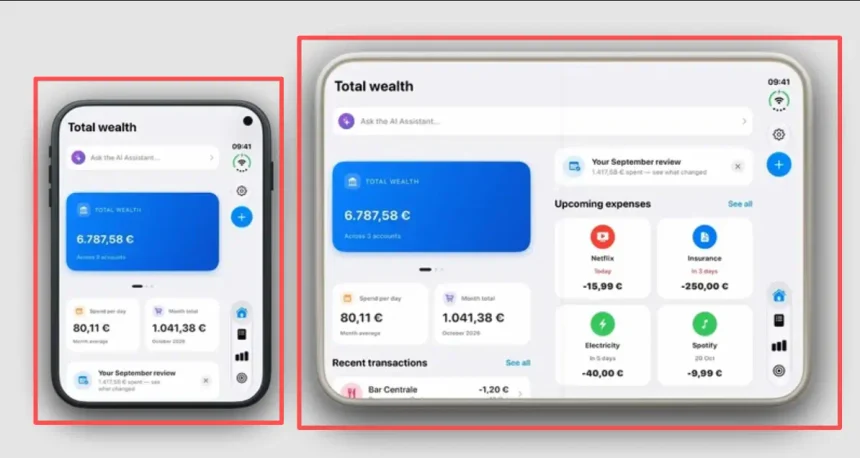
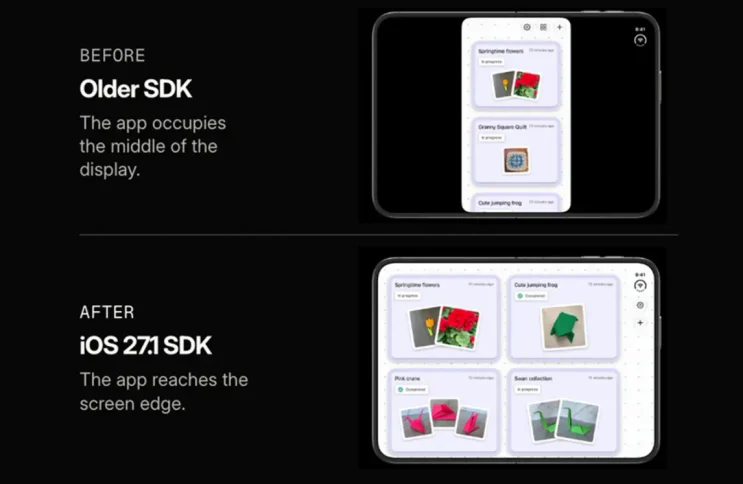
- SDK: Apps built with the iOS 27.1 SDK or later can use the full inner display; older builds often show wide black bars on either side of the 7.6-inch screen.
- Screenshot rules: Upload at least 1 and up to 10 screenshots per device size, in .jpeg, .jpg, or .png. Outer display: 1398 × 2034 px (portrait) or 2034 × 1398 px (landscape). Inner display: 2007 × 2853 px (portrait) or 2853 × 2007 px (landscape). See Apple’s screenshot specifications.
- Requirement date: From April 2027, screenshots are required for any app using the iOS 27.1 SDK or later.
- Preview tool: App Store Connect includes a preview tool that shows how your screenshots, product page header, and other metadata look on iPhone Duo.
What the Badge Does and Doesn’t Confirm
The badge signals that a developer built for iPhone Duo and submitted screenshots. It does not prove the app works well in every display state, so mock screenshots put your listing at risk.
| What the badge suggests | What it actually confirms | Risk if you fake it |
| The app is optimized for iPhone Duo | The developer submitted iPhone Duo screenshots, which show the intended interface but not how it responds when folded, rotated, or used with another app. | Stretched or broken layouts may draw poor reviews that hurt rating and conversion. |
| The app makes good use of the larger inner display | Apps built with the iOS 27.1 SDK or later can use the full inner display; older builds often show black bars. | Mock-up or stretched screenshots mislead shoppers. |
| The app is a certified “Made for iPhone” product | Nothing of the kind; the badge is unrelated to the “Made for iPhone” accessory program. | Presenting it as a quality guarantee sets expectations the app may not meet. |
Build real iPhone Duo support first, then capture screenshots from a working build.
How Early Adopters Gain Ground on Established Apps
The badge can shift store attention. Visibility that used to go to top-chart apps may move to competitors that support iPhone Duo sooner.
| App type | What happens |
| Slow-moving category leaders | Delayed updates mean no badge on their product pages. |
| Agile challengers | Fast iPhone Duo support plus the badge can lead to a more visible listing and a chance at Apple’s optimized-app collections. |
- Large category leaders: Apps with long roadmap cycles and many approval layers may not update in time, so they can miss early launch promotions and collection placements.
- Apps that rely on old keyword rankings: Shoppers on Duo devices may prefer listings that show the badge, so these apps could slowly lose traffic.
- Fast-moving challengers: Small teams that ship native iPhone Duo support quickly can compete for prime placements in productivity, utilities, and lifestyle categories.
Strong keyword rankings may not protect an app on their own. When Apple promotes its newest hardware, apps with the badge have a chance to take downloads from established apps that update late.
The Tactical Playbook: Screenshots, Keywords, In-App Events, and Editorial Nomination
Four moves can turn the badge into more installs: a connected screenshot pair, new keywords, an In-App Event, and a featuring nomination.
- Connect your first two screenshots. Design screenshots 1 and 2 as one continuous panoramic image that mirrors an open dual-screen device, using real captures from your working build. Show task input on the left pane and the live multitasking result on the right, so the feature is obvious at a glance. Export at the required iPhone Duo sizes, then use the preview tool in App Store Connect to check how they look on iPhone Duo before you submit.
- Add iPhone Duo keywords early. Put emerging terms such as “duo,” “split view,” and “side by side” in your subtitle and 100-character keyword field, as long as they describe features your app genuinely has. Ranking for them early may help you build authority before competition grows.
- Publish an In-App Event. Create an event that highlights your iPhone Duo features. Apple can surface event cards in search results, which may give you more visibility than a standard listing.
- Submit a featuring nomination.Submit a nomination in App Store Connect at least 3 weeks before your launch or update, and earlier if you want wider consideration. Describe what is new for iPhone Duo and include your planned publish date. If you are also publishing an In-App Event, say so in the nomination.
Insider Reality: Apple’s Hardware Rollouts Are Traffic Opportunities, Not Design Gimmicks
Apple’s Made for iPhone Duo badge can bring free promotional exposure, which may give plateaued apps a way past entrenched search competitors.
| Strategic Focus | Plateaued approach | Better approach |
| Breaking growth plateaus | Reshuffling keywords in the subtitle and description again | Targeting Apple’s dedicated new-device feature spots to move ahead of top-ranking apps |
| Store badge purpose | Treating the badge as an optional visual extra | Treating it as a free conversion booster that can raise search tap-through rates |
| Traffic window lifespan | Assuming the badge will stay exclusive indefinitely | Using the early window before the April 2027 requirement makes it common |
Treating this rollout as a minor design change may mean missing an opportunity: adapting early to Apple’s latest hardware can help reignite organic growth when standard keyword optimization stalls.
🎁Senior ASO note: The badge is tied to submitting screenshots, not to a quality review, so it is easy to earn and likely to be common after April 2027. The lasting edge is likely to come from the inner-display experience and screenshots behind it. These are my own judgments, not measured results, so test them against your analytics.
Your 14-Day iPhone Duo ASO Sprint
The early-adopter window closes as more developers add iPhone Duo support. This two-week plan covers the build, screenshots, keywords, and nomination.
- Days 1–4: Build and verify. Build with the iOS 27.1 SDK, configure multi-window layouts, and check how your app behaves on both displays.
- Days 5–7: Design screenshots. Create connected panoramic screenshots at the required iPhone Duo sizes. Uploading them in App Store Connect is what shows the badge.
- Days 8–10: Update keywords and prepare an event. Add split-screen terms to your keyword fields and set up an In-App Event.
- Days 11–14: Submit the nomination. Submit your featuring nomination with your planned publish date, and note any In-App Event you are publishing. Schedule your launch at least 3 weeks after this date.
Before you start, audit your iPhone Duo user flow and update your store creative. The longer you wait, the more of the early-adopter window you give up.
Need help with your iPhone Duo launch? Our ASO team mobile app marketing service can audit your inner-display screenshots, keyword fields, and featuring nomination.
FAQ
Do I have to apply for the badge?
No. The badge appears on your product page once you submit iPhone Duo screenshots in App Store Connect for an app built with the iOS 27.1 SDK or later.
Are iPhone Duo screenshots required?
Not yet for every app. From April 2027, they are required for any app using the iOS 27.1 SDK or later.
What size are the screenshots?
Outer display: 1398 × 2034 px (portrait) or 2034 × 1398 px (landscape). Inner display: 2007 × 2853 px (portrait) or 2853 × 2007 px (landscape). You need at least 1 and can upload up to 10 per device size.
Does the badge mean Apple has tested my app on iPhone Duo?
No. The badge reflects that you built for iPhone Duo and submitted screenshots. It is not a separate certification of quality, and it is unrelated to the “Made for iPhone” accessory program.
Can I check how my listing will look before submitting?
Yes. App Store Connect has a preview tool that shows how your screenshots, product page header, and other metadata look on iPhone Duo.