Key Takeaways
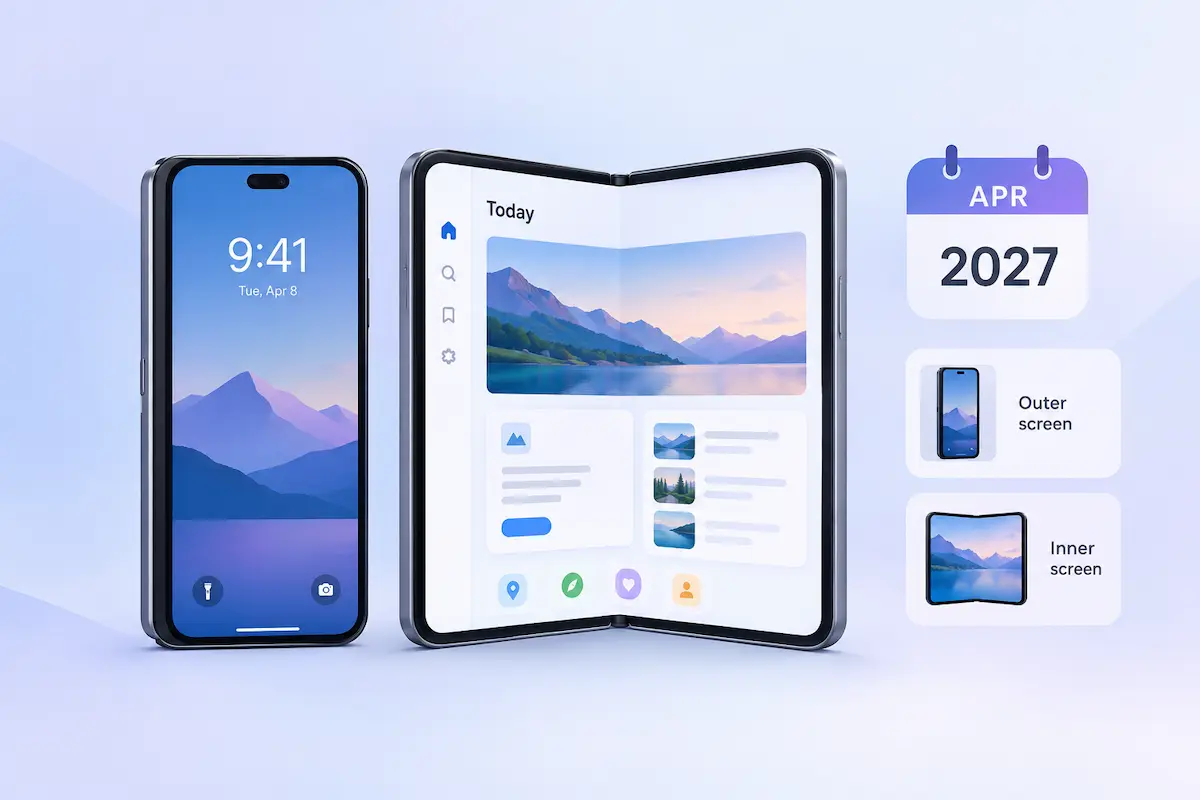
- Mandatory Deadline: April 2027 for apps built with Xcode 27.1+.
- What’s Required: Screenshots for both the outer cover screen and inner unfolded screen.
- Asset Status: Screenshots are mandatory; App Previews, Headers, and Search Assets remain optional.
- ASO Strategy: Lead with inner-screen layouts to highlight foldable-specific value.
Apple will require iPhone Duo screenshots from April 2027. Its notice says any submitted app; its spec page says apps built with Xcode 27.1 or later. Treat these screenshots as a sales tool that wins installs, not a technical checkbox.
Apple’s announcement and specifications set the rule. Expect it to reach nearly every active app, because Apple makes developers upgrade Xcode each spring.
| Date | Event |
| Oct 5, 2026 | Submissions open |
| Oct 23, 2026 | iPhone Duo ships |
| April 2027 | Screenshots required (day not announced) |
What Apple Changed for the App Store
Apple changed three things: how you build your app, what you upload, and when Duo screenshots become mandatory.
Build. Rebuild your app in Xcode 27.1, Apple’s developer tool. This version adds iPhone Duo support. Then open Device Hub, a preview feature in Xcode, to check how your app looks when the phone is folded or unfolded, and held vertically or horizontally.
Assets. Apple added iPhone Duo to its screenshot specifications and app preview specifications. It also released downloadable templates and design guidance, including two newer asset types:
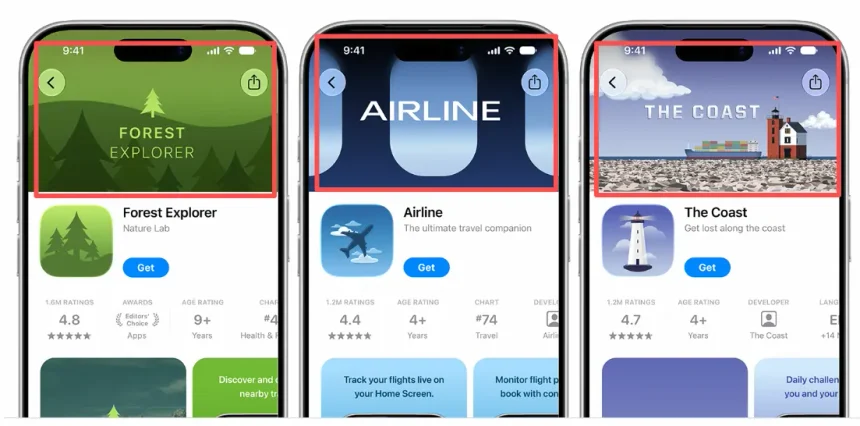
- Product page header: the large image or video people see first when they open your app’s page in the App Store.
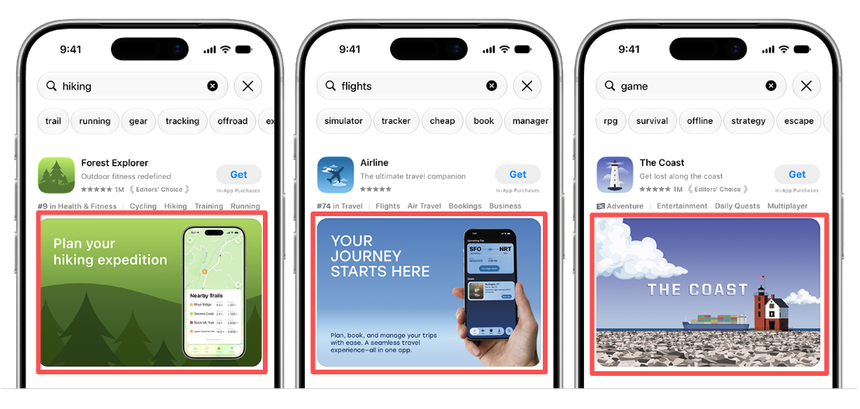
- Search result asset: the image or video that appears with your app when people search the App Store.
A new preview tool in App Store Connect shows how your listing looks on iPhone Duo.
| Display | Vertical | Horizontal |
| Outer | 1398 × 2034 px | 2034 × 1398 px |
| Inner | 2007 × 2853 px | 2853 × 2007 px |
You can upload up to 10 screenshots per size. Use JPEG or PNG files with a solid background. Apple doesn’t allow images with see-through areas.
Only screenshots become mandatory. Previews, headers, and search result assets stay optional.
Submission. If your app or game is built to run well on iPhone Duo, you can send it to Apple for review now. Use App Store Connect, the portal where developers upload and manage their apps. From April 2027, every submission needs Duo screenshots.
What the Announcement Means
Apple does not require Duo screenshots yet. From April 2027 it will, at least for apps built with the newest version of its developer tool, Xcode 27.1.
Apple describes the rule in two ways.
| Source | Wording | Plain meaning |
| News post | Any apps or games submitted | Every submission |
| Spec page | Apps built with Xcode 27.1 or later | Only apps built with the new version |
Both can be true. Developers use Xcode, a free Apple program on the Mac, to turn their code into the app file they send to Apple. Apple has pushed developers toward newer Xcode versions in past springs, so the narrow rule will likely cover most apps by April. That is our read, not an Apple statement.
Apple has not said what happens if a submission lacks Duo screenshots. Plan as if Apple will block it.
Our view: Apple treats iPhone Duo like a dedicated hardware form factor rather than an extension of standard iPhones. You cannot simply reuse and scale your existing iPhone assets. Standard iPhones use an elongated aspect ratio (around 19.5:9), whereas the Duo’s unfolded inner display shifts to a wider, near-square canvas (approximating 4:3 or 1:1).
Simply scaling or letterboxing a 19.5:9 screenshot will trigger visual artifacting, awkward empty margins (pillarboxing), or truncated UI elements. Apple’s submission pipeline explicitly requires native rendering that respects the device’s safe areas and responsive breakpoints.
How to Prepare: Step by Step
Follow six steps: rebuild, check, design, preview, upload, and submit.
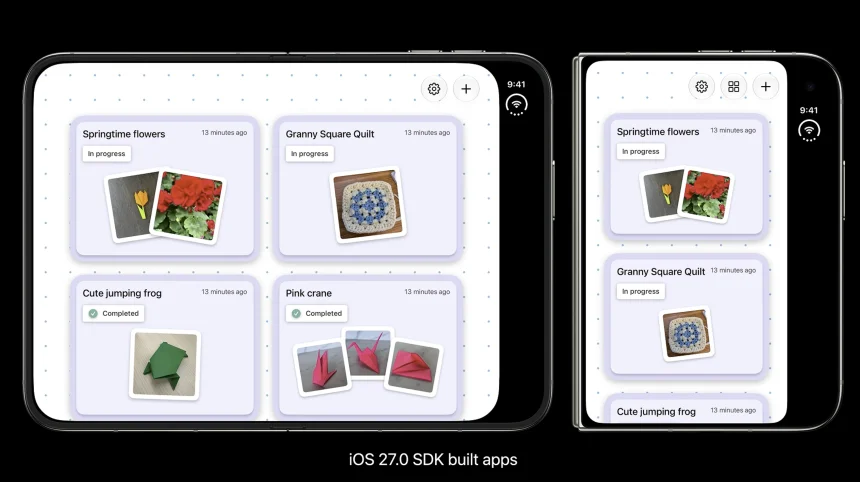
- Rebuild your app with Xcode 27.1. Xcode is the free program developers use on a Mac to build apps. Version 27.1 includes the tools you need to build and test for iPhone Duo. Open your existing app project in it and build the app again. Then you can test the app on a virtual iPhone Duo.
- Test your app on a simulated iPhone Duo. Device Hub, a feature inside Xcode, shows your app on a virtual iPhone Duo. View it with the phone folded shut, which uses the small outer screen. Then view it unfolded, which uses the large inner screen. Turn the phone sideways in both positions too. Note any screen where text is cut off, buttons overlap, or the layout looks wrong, and fix those first.
- Start from Apple’s templates. Apple offers downloadable templates and design guidance for its App Store assets.
4. Design screenshots to Apple’s exact specifications. Consult the table above for precise inner and outer display dimensions. Make sure your assets adhere to Apple’s App Store Asset Best Practices:
- Keep it authentic: Use genuine in-app captures rather than misleading promotional mockups.
- Compliance rules: Strictly avoid displaying price points, promotional badges (e.g., “50% off”), external URLs, or unsubstantiated claims (e.g., “#1 App”).
- Format constraints: Export exclusively as flattened, solid-background PNG or high-quality JPEG without alpha channels (transparency will cause submission errors in App Store Connect).
- Preview your listing. The preview tool in App Store Connect shows how your screenshots and page look on iPhone Duo before anything goes live.
- Upload and submit. Send the screenshots with a new app version, or add them through the Asset Library. That is the place in App Store Connect where your approved images and videos are stored. Then submit the app for review.
Our advice: finish steps 1 and 2 before you take any screenshots. Step 2 shows what looks wrong on iPhone Duo, such as a cut-off button. Fix those problems first, then capture your screens. Otherwise your screenshots will show a flaw you have already fixed, and you will have to retake them.
Our Take: What This Means for Your ASO Plan
Treat Duo screenshots as a required chore first and a conversion lever second.
At launch, very few people will own an iPhone Duo. Only a small share of your visitors will see your Duo screenshots, so don’t expect them to lift your installs much. That is our judgment, not data. The reason to act is the April deadline. Apple hasn’t said what happens to an update with no Duo screenshots. Assume it won’t approve the update until you add them. Your bug fixes and new features would then wait. Making the screenshots a few months early costs far less than that delay.
The deadline also gives you a chance to beat your competitors. Many teams will wait and rush out the minimum in March. If you build a strong inner-screen set earlier, your listing will look better than theirs next to a resized phone screenshot.
Our advice:
- Lead with the inner screen. Users invest in premium foldable devices specifically for the expansive screen real estate. They expect to see your app fully leverage that canvas—not a stretched single-phone layout with awkward empty space. Showcase side-by-side workflows or multi-column layouts that only make sense when the device is unfolded, such as a list view running alongside an active detail pane.
- Keep the outer set simple. The outer screen is the small one people use with the phone closed, for quick jobs like checking an order or starting a timer. Pick one short task from your app and show it from start to finish.
- Expect slow test results. Product page optimization (PPO) is Apple’s free testing tool. It shows different versions of your screenshots to different visitors and reports which one earns more downloads. Few visitors will use an iPhone Duo at first, so a Duo test will take a long time to reach a clear answer. We also haven’t confirmed that PPO can test Duo screenshots yet. Check in App Store Connect.
- Fix the app first. Screenshots show your real app. If the inner screen looks stretched, cramped, or broken, a polished design can’t hide it. People will see the problem as soon as they open the app.
The phone is brand new, so no one has real results from Duo listings yet. Treat this advice as a starting point. Then adjust it using your own download and conversion numbers.
Getting Your App Store Listing Ready for What’s Next
Meeting Apple’s technical guidelines is only the first step. The real goal is making sure your new screenshots actually drive downloads once they go live. That requires a coordinated page—where your new visual layouts work hand-in-hand with relevant keywords and localized descriptions.
If managing device specifications, multi-screen assets, and App Store Connect updates takes too much time away from building your core app, partnering with a dedicated ASO agency can handle the heavy lifting. They ensure your listings stay fully compliant, localized, and conversion-ready from day one.