Introduction
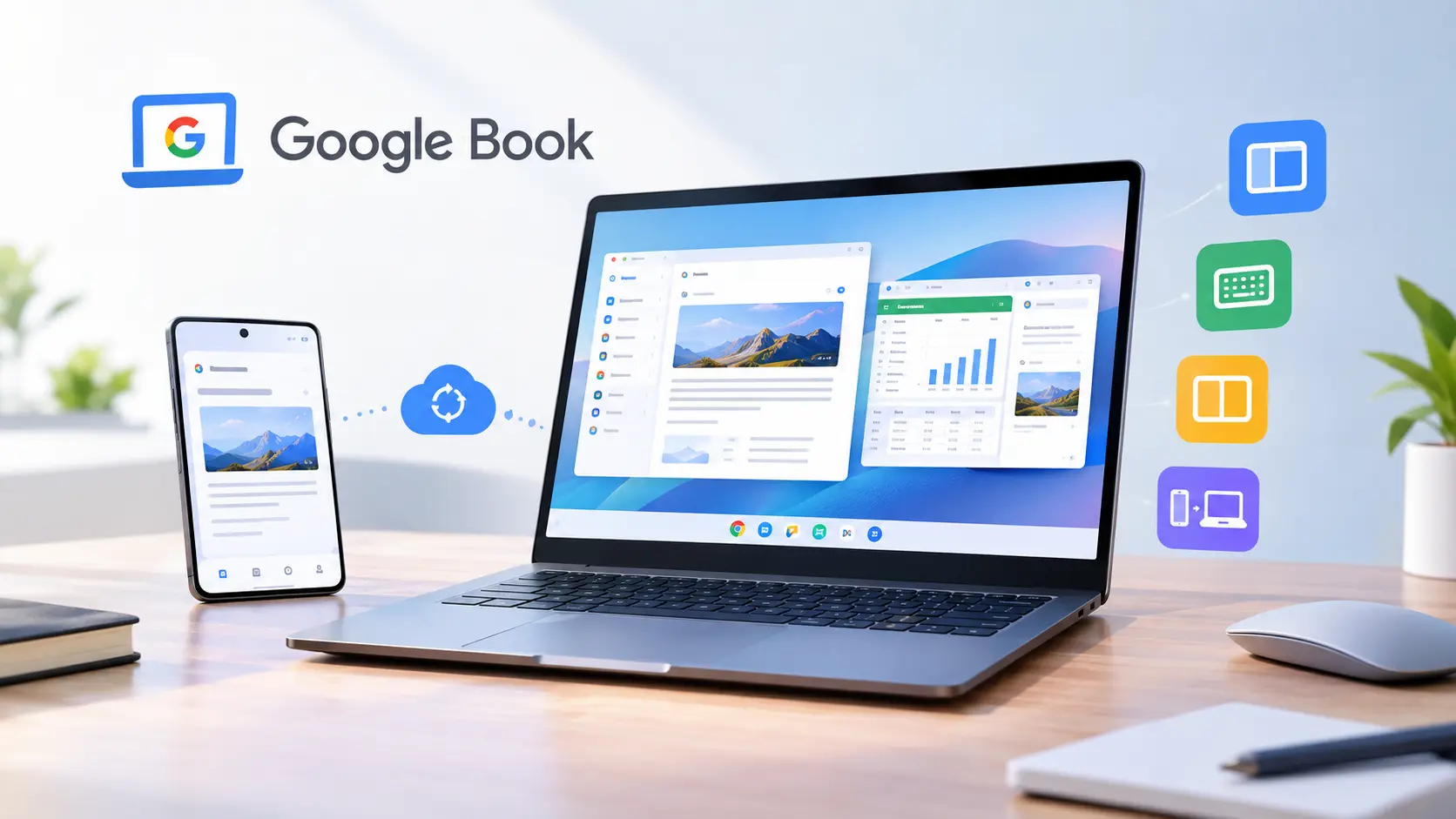
Google’s new laptop series, Google Book, will be released in October 2026. Apps optimized for Google Book — including adaptive layouts, keyboard and pointer device support, multitasking features, and cross-device continuity — will directly improve the user experience for large-screen users. You’ll not only earn a specific honor badge on Google Play, but also gain more exposure opportunities. Let your Android app users enjoy a smooth, near-native desktop experience on laptop devices.
What is Google Book?
(Image credit: android-developers.googleblog.com)
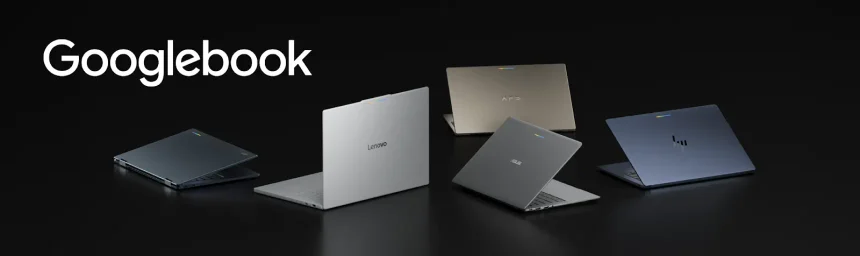
Google Book is Google’s new high-end laptop series. It is a hardware product built specifically for desktop systems, based on the Android tech stack and ChromeOS. This laptop works closely with Android phones and also supports Android apps. For app publishers, Google Book is not just a standalone app store or operating system — it is also a place to publish new apps.
How GoogleBook is disrupting the entire app ecosystem.
- For enterprise users: Workplaces need to move away from overly long mobile interfaces that struggle to meet daily work needs, and toward ergonomic desktop designs, responsive trackpad experiences, and efficient performance for handling multiple tasks in multiple windows at once.
- For engineering teams: Developers must adopt a flexible, unified code architecture to avoid technical debt while also supporting screen requirements across phones, foldables, and desktop devices.
- For ASO and growth marketing: Google Play’s desktop device algorithm now places more emphasis on large-screen adaptability. Apps that meet this requirement gain higher search visibility, reducing the risk of user churn.
This shift elevates desktop app adaptation into a high-ROI growth engine. To capture market share early, implement the following GoogleBook optimization strategies.
Google Book Optimization Strategy
Google Book app optimization means adjusting your Android app to fit laptop device interfaces, input experiences, and multitasking capabilities, helping users switch between devices and use them more smoothly.
- Build adaptive layout interfaces
Use the Navigation 3 scene strategy. When the app window size changes, the interface can adjust its navigation panel, list, and detail view layout types accordingly.
- Hardware-first input methods
Optimize pointer interaction, adjustment handles, right-click menus, cursor effects, hover states, keyboard shortcuts, layered navigation, and meet desktop users’ expectations for mouse, trackpad, and keyboard collaboration.
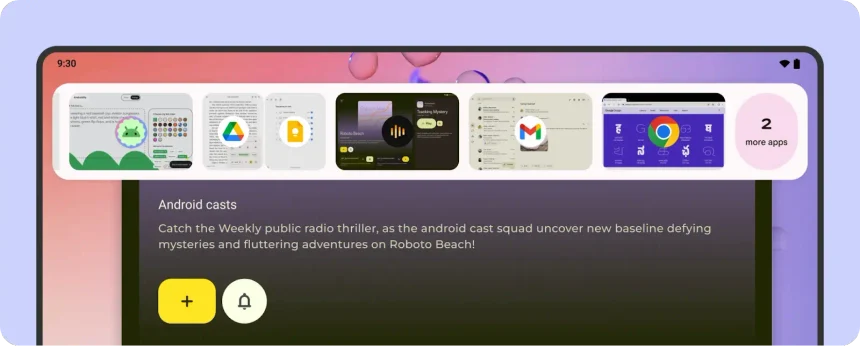
- Multitasking features
(Image credit: android-developers.googleblog.com)
Support users running multiple apps at the same time, freely arranging them, freely resizing windows, split-screen side-by-side comparison, and easily dragging and dropping files or text.
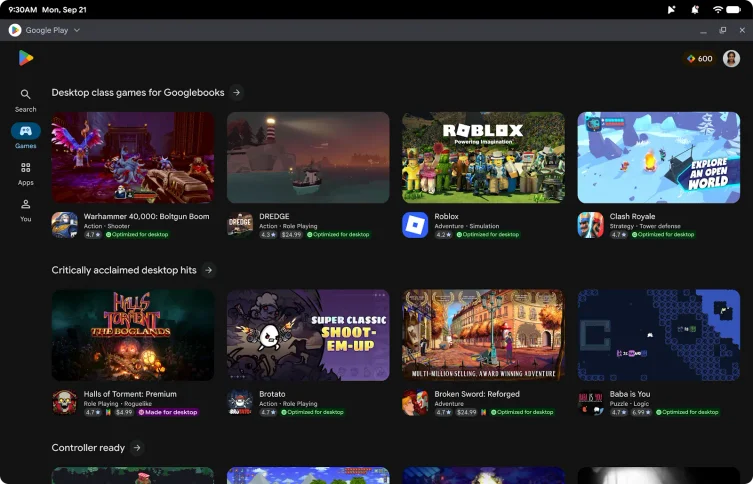
- Google Book app store metadata asset updates
Google Play filters and displays asset content in app listings based on device type. Switch to 16:9 4K screenshots and horizontal-ratio promotional videos to provide higher-converting promotional assets for desktop.
- Achieve cross-device continuity
Use HandoffActivityData to pass task states, so that documents, browsing positions, and open tab tasks started on a phone can continue running in the same position or tab on Google Book. Two-way switching makes the user experience smoother.
- Desktop emulator quality testing
Use Google’s desktop app guidelines as an acceptance checklist and Android Studio’s desktop emulator as a testing workstation. Before submitting your app, conduct a complete check of all operational experiences.
Are there differences in implementing Google Book optimization strategies for different types of apps?
Yes. The core Google Book optimization strategies are basically the same, but if you prioritize strategies that are more convenient, efficient, and valuable for users when using a laptop screen, the priority of optimization strategies differs for different apps.
| App Category | High-Priority Desktop Feature |
| Productivity & SaaS | Global hotkeys, split-screen multitasking, side rails |
| Mobile Gaming | Keyboard/mouse mapping, gamepad support, 120Hz display |
| Media & Streaming | Picture-in-picture (PiP), resizable window audio sync |
Benefits of Google Book Optimization
- Higher productivity: Users get a larger layout interface and more convenient physical keyboard operation.
- More exposure opportunities on Google Play: Optimized apps receive a special badge and additional exposure reward algorithms.
(Image credit: android-developers.googleblog.com)
- Better user experience: Apps run faster, more stably, and closer to native desktop software. Users stay longer and complete more tasks.
- Adaptive development codebase: No need to maintain a separate codebase. Just improve based on your existing adaptive layout. The same version runs smoothly across phones, foldables, tablets, and Google Book devices.
- Higher cross-device retention: Users can switch between phone and laptop, achieving better retention on different devices. This increases usage frequency and retention among device users and reduces churn.
- Promote business growth: Apps that meet high-quality standards unlock the “App Experience Program,” which allows for an improved charging system and promotes business growth.
Why do Google Book optimization now?
Early on, few apps qualify for optimization, so competition is low, making it easier to earn a Google Play badge. Optimized apps can appear in front of users on day one of Google Book laptop usage, and are more likely to gain higher-intent user installs and usage.
Google Book Optimization Tools
You do not need a separate Google Book development toolset. You can directly use Android’s existing adaptive development tools to design, preview, test, and verify whether your optimized app works properly when simulating real user desktop behavior.
| Tool or resource | Validation Direction |
| Android Studio Preview | Freeform windowing, cursor responsiveness, and physical keyboard navigation |
| Android Studio emulator and layout tools | Responsive layouts, list-detail views, panel resizing, and overflow handling |
| Desktop app-quality guidelines | Keyboard navigation, hover states, scrollbars, desktop menus, multi-window support, file workflows, and handoff |
| Physical keyboard, mouse, and trackpad | Focus order, shortcuts, Ctrl-click or Shift-click selection, pointer accuracy, and contextual menus |
| Android device continuity testing | Whether users resume the same document, search, form, cart, or media position on another device |
FAQ
Is Chromebook already outdated?
No. Chromebook remains a very important device in education and low-cost segments. GoogleBook, with its unique hardware architecture, is better suited for users who want native Android performance, tighter phone connectivity, and Gemini features in a professional desktop work environment. The two products coexist.
Can the GoogleBook badge improve rankings and downloads?
The GoogleBook badge can indirectly help increase downloads by improving app visibility on Google Play. However, Google has not explicitly stated that the badge alone guarantees higher rankings. The most effective ASO strategy combines desktop optimization with useful features showcased on Google Play.
Does GoogleBook optimization affect metadata on App Store Connect or the Play Store platform?
No. In Google Play Console, you can upload horizontal screenshots and video assets specifically optimized for large-screen devices. This does not automatically change metadata in App Store Connect or Google Play.
Will apps that have not undergone GoogleBook optimization rank lower in search results?
Apps that have not undergone Google Book optimization will not be demoted by Google Play. However, optimized apps can gain more discovery opportunities through positive reviews, improved user experience, and homepage placement.
Ready to make your app meet GoogleBook standards?
GoogleBook shifts Android software optimization from mobile devices to desktop devices. If you ignore desktop optimization, you will lose the advantage of acquiring enterprise users with high lifetime value, and premium app space in the Play Store will be taken by competitors.
Need help combining adaptive product improvements with Google Play conversion strategies? Contact the AsoHot App Marketing Team to request your Google Play app audit report. Assess how your app performs on desktop, identify the most important improvements, and update the ASO assets that let users see real results.