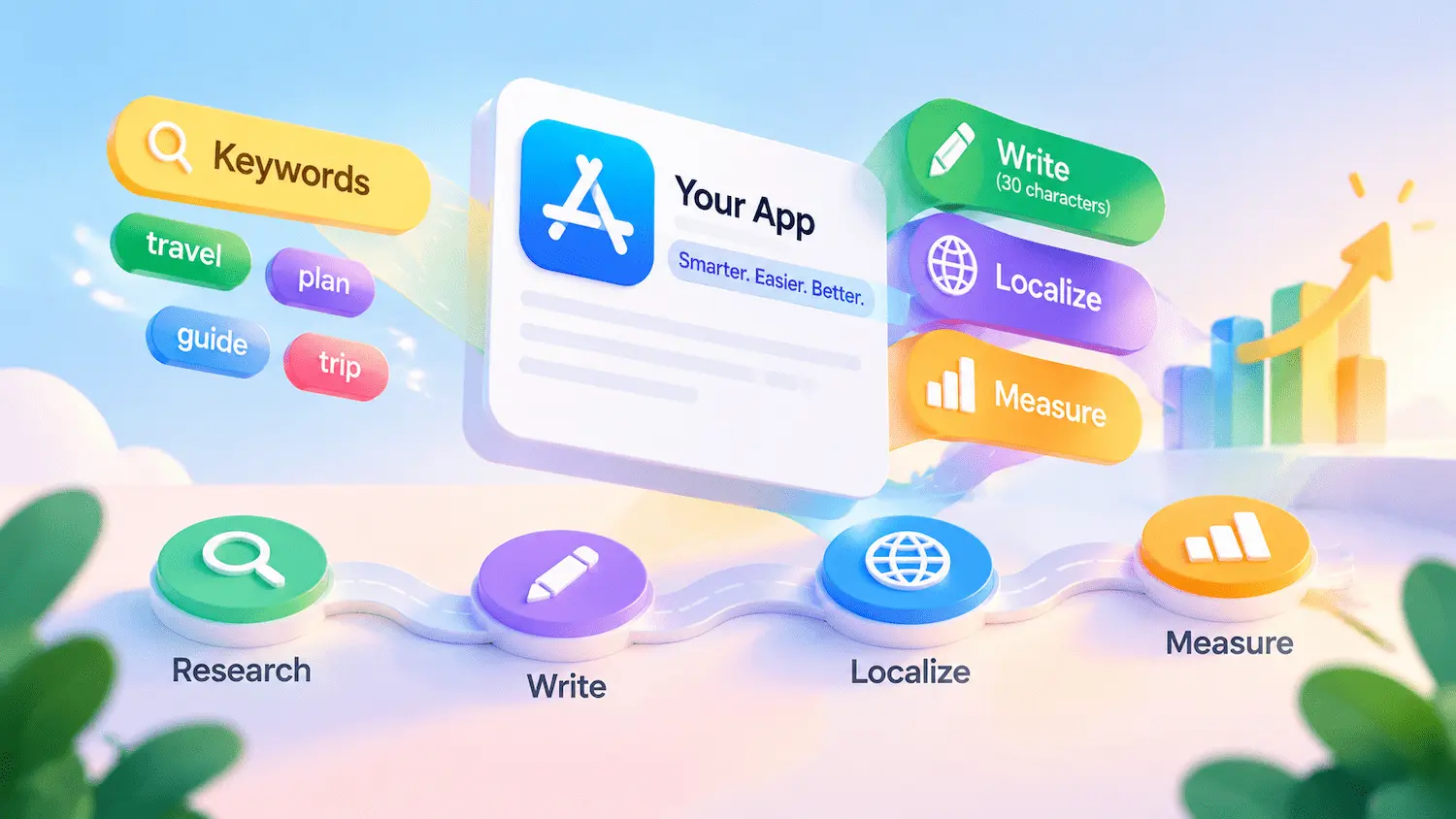


Many teams treat app store listing optimization as a keyword exercise. In reality, visibility and downloads also depend on metadata structure, platform guidelines, localization, and performance measurement.
The Apple App Store and Google Play have different metadata structures, editing requirements, and content policies. Understanding these differences is essential to building a listing strategy that fits each platform.
This guide focuses on text metadata for both platforms, with visual assets briefly covered as supporting elements in conversion optimization. It walks through the process from keyword research and field-level optimization to localization, compliance, and performance measurement.
Key Takeaways
- Listing optimization involves more than keywords; metadata and localization matter.
- The App Store and Google Play require different optimization strategies.
- Ongoing research and measurement help improve visibility and conversions.
What Is App Store Listing Optimization?
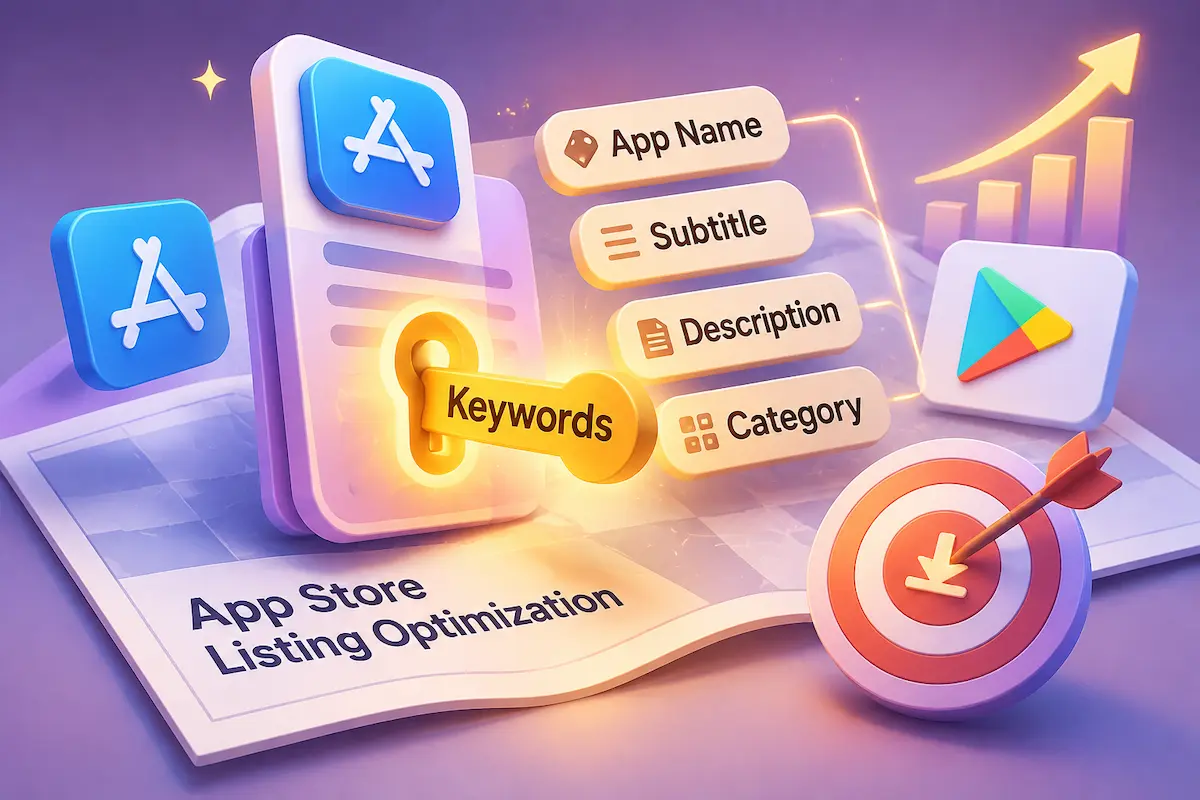
App Store listing optimization is the process of improving an app’s store page to increase its search visibility, relevance, and download conversions. It involves refining text and visual elements that help users discover the app and understand its value.
As a core part of App Store Optimization (ASO), listing optimization focuses on the elements users encounter on the store page. It also relies on supporting activities such as keyword research, competitor analysis, localization, and performance monitoring to guide listing improvements.
Metadata optimization is a core part of this process. It focuses on text fields such as the app name or title, subtitle or short description, keywords, and description. By organizing relevant information and using appropriate search terms, developers can make their apps more relevant to user searches and communicate core features.
In practice, listing optimization involves two closely related areas: metadata optimization and creative optimization. Metadata communicates what the app offers, while creative assets help users understand its features and evaluate its value.
| Type | What It Covers | Primary Purpose |
| Metadata Optimization | App title, subtitle or short description, keywords, descriptions, and other text fields | Communicate app functionality and improve relevance to applicable search queries |
| Creative Optimization | App icon, screenshots, preview videos, and other store-specific visual assets | Demonstrate the app experience, communicate product value, and support download decisions |
Conversion is the outcome these efforts aim to improve. It measures the proportion of eligible store page visitors who complete a download or install, based on the platform’s specific metric definition.
What Does an App Store Listing Include?
An app store listing contains several components, including text metadata, category information, and visual assets. Each serves a different purpose, and Apple and Google Play organize and present these elements differently. The following table summarizes the main listing components on both platforms.
Table A: Listing Elements Overview
| Element | Apple App Store | Google Play |
| App Name / Title | App Name: listed as a text relevance factor | App Title: a core store listing field |
| Subtitle / Short Description | Subtitle: listed as a text relevance factor | Short Description: a listing field with official writing guidance |
| Keywords | Dedicated Keywords field: listed as a text relevance factor | No dedicated keyword field |
| Description | Not listed as a direct App Store Search text relevance factor; also used in web search engine results after publication | Full Description: long-form text field with official writing guidance |
| Promotional Text | Does not affect App Store search ranking | Not applicable |
| Category | Primary Category: listed as a relevance factor; optional Secondary Category is also indexed | App category selected in Play Console |
| Icon, Screenshots, Preview Video | Visual assets that support user understanding and download decisions | Visual assets, including a feature graphic, that support product presentation |
Text Fields and Categories on Apple
Apple’s App Store Search documentation identifies the App Name, Subtitle, Keywords, and Primary Category as text relevance factors. The optional Secondary Category is also indexed for search, so developers should select both categories based on the app’s actual functionality rather than perceived ranking opportunities. When planning metadata changes and improving the listing’s presentation, developers can also refer to Apple’s product page optimization guidance.
The Description serves a different purpose. Although Apple does not list it among the text relevance factors in its App Store Search documentation, it remains important for explaining the app’s features, benefits, and functionality to potential users. It may also help users understand the product when they encounter the listing through other discovery channels. Promotional Text does not affect App Store search ranking, making it more suitable for communicating timely updates and offers.
Text Fields on Google Play
Google Play has no dedicated keyword field. Instead, developers should incorporate relevant terms naturally into the app title, short description, and full description while following Google’s metadata and writing guidelines. These guidelines explain how to create accurate and useful listings but do not disclose a complete ranking formula.
Visual Assets
App icons, screenshots, and preview videos help users understand an app’s features and decide whether to download it. Google Play also supports feature graphics as part of its store listing presentation.
App Store vs. Google Play: Key Metadata Optimization Differences
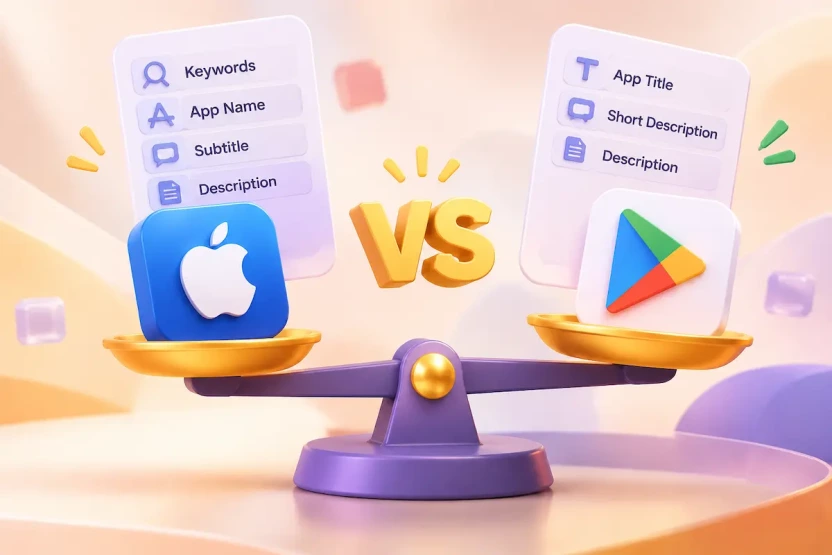
Metadata optimization for app stores works differently on each platform. Field structure, search signals, and editing rules vary, so each store needs its own approach.
Key Metadata Differences Between Apple and Google Play
Table B: Apple vs. Google Play Metadata Comparison
| Aspect | Apple App Store | Google Play |
| Keyword field | Dedicated Keywords field (100-byte limit in App Store Connect; see Apple’s guidance for the applicable limit) | No dedicated keyword field |
| Name / Title | App Name (30 characters) | App Title (30 characters) |
| Subtitle / Short Description | Subtitle (30 characters) | Short Description (80 characters) |
| Description | Description (4,000 characters) | Full Description (4,000 characters) |
| Search relevance evidence | App Name, Subtitle, Keywords, and Primary Category are listed as text relevance factors; Secondary Category is also indexed | Official writing guidance is available, but no public ranking formula |
| Editing mechanism | Depends on field type, app status, and version state; Promotional Text can be changed without a new version | Store listing text can generally be updated separately from app releases |
How Search Optimization Differs Across Platforms
Apple provides a dedicated Keywords field alongside the App Name and Subtitle, allowing developers to distribute relevant search terms across specific metadata fields. When optimizing this field, understanding the app store keywords rules is essential for following Apple’s keyword limits, formatting requirements, and relevance guidelines. Google Play has no equivalent Keywords field, so developers should integrate relevant terms naturally into the Title, Short Description, and Full Description while maintaining clear and useful product messaging.
Although the core brand message and product information can remain consistent, each platform requires its own metadata structure and content strategy. These differences affect not only keyword placement but also how developers write, update, and evaluate their listings. The worked example later in this guide illustrates how the same app information can be adapted to both stores.
Metadata Editing and Update Considerations
Apple organizes metadata into App Information and Platform Version Information. App Information includes fields such as the App Name, Subtitle, and categories, while Platform Version Information includes fields such as the Description, Keywords, and Promotional Text. This distinction matters because different fields follow different editing and submission workflows.
Editing requirements depend on the field and the app’s current status. Changes to version-level metadata, such as the Description and Keywords, generally require submission with a new app version. Promotional Text can be updated independently of a new version submission. Developers should check the current App Store Connect editing options before making changes.
On Google Play, store listing text can generally be updated separately from app releases. Developers can manage listing copy in Play Console without uploading a new app build, although changes may still be subject to review and publishing controls.
How Metadata Affects Search Visibility and Downloads
Metadata shapes how an app is discovered, but it is only one part of what drives downloads. Search relevance, user behavior, and listing performance each play a role and should not be confused with one another.
Text Relevance Signals
Metadata provides the foundation for matching an app with relevant search queries. The specific fields involved differ between platforms, as outlined in the previous section.
Field-level ranking weights published by third-party ASO tools are empirical estimates, not confirmed platform ranking factors, so official documentation should remain the basis for optimization decisions.
User Behavior Signals
Text relevance is not the only factor in App Store search performance. Apple also identifies user behavior, including downloads, ratings, and reviews, as relevant factors. Beyond their potential role in search, ratings and reviews help prospective users evaluate an app’s quality and build or weaken trust. Apple does not disclose specific weights for these factors, so their individual ranking impact should not be assumed.
Together, text relevance and user behavior help shape an app’s discoverability. However, visibility alone does not indicate whether a listing successfully converts interested users into downloads.
Search Visibility vs. Conversion
Search visibility and conversion measure different stages of listing performance. Search visibility reflects how often an app appears in relevant search results or other discovery placements, while conversion measures the proportion of eligible store page visitors who complete a download or install. A listing can perform well in one area but poorly in the other, so developers should evaluate both metrics separately.
Once users reach the listing, the title, subtitle, description, and visual assets work together to explain what the app does and why it is worth installing.
A listing can attract substantial search traffic but still generate few downloads if its messaging is unclear, its visual assets are unconvincing, or its content does not match user expectations. When conversion is weak, review the entire store page rather than assuming that more keyword optimization is the solution.
| Performance Pattern | What to Investigate | Possible Optimization |
| Low search visibility | Keyword relevance, search demand, and competition | Reassess keyword selection and metadata coverage |
| High visibility but low page traffic | Search result presentation, keyword relevance, and alignment with user intent | Improve the app’s search result presentation and ensure its title and icon communicate its value clearly |
| High page traffic but low downloads | Listing clarity, screenshots, ratings, pricing, and user expectations | Improve the value proposition and creative presentation |
| Stable downloads but declining conversion rate | Changes in traffic volume, traffic quality, market conditions, and listing performance | Compare traffic sources and review recent listing changes |
How to Research and Map Keywords Across Fields
Effective app store keyword research starts with understanding the app and its users, rather than relying on keyword tools alone. The goal is to identify accurate, relevant search terms, evaluate their potential, and assign them to the most appropriate metadata fields. This process is known as keyword mapping.
Build a Keyword List from App Features and Search Intent
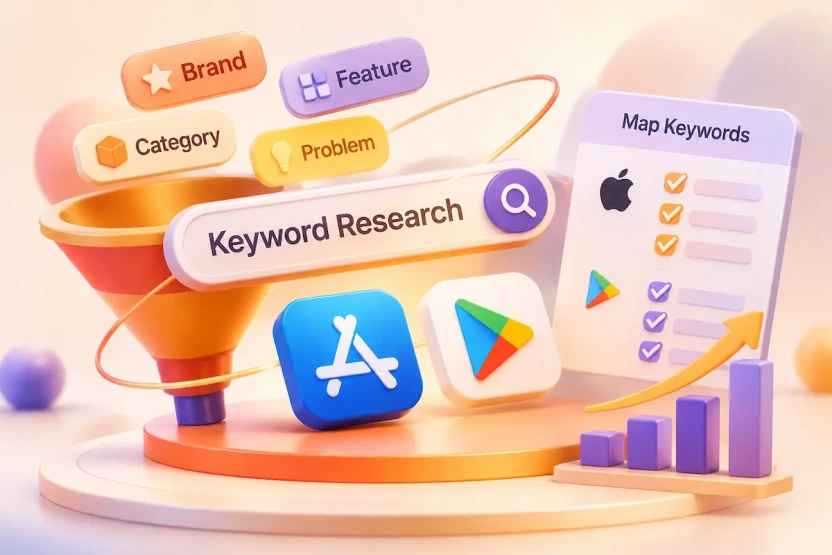
Begin with what the app does, who it is for, when people use it, and what problem it solves. From these inputs, collect candidate terms from four complementary research perspectives:
- Brand terms: your app name and established brand terms users may search for.
- Feature terms: specific capabilities, such as “habit tracker” or “meal planner.”
- Category terms: the broader type of app users look for.
- Problem-solving terms: phrases describing what users want to achieve.
These categories represent different research perspectives rather than mutually exclusive keyword groups. A single search term may describe an app feature, reflect a broader category, or express a specific user need. Use these perspectives to expand your initial keyword list, then evaluate each candidate based on its relevance to the app.
Pay attention to the gap between internal terminology and user language. A product team may describe an app with technical or branded terms that users never type into a search bar.
To expand the list, review store search suggestions, competitor listings, and keyword research tools. For a more structured approach, use a free ASO keyword research tool to discover, evaluate, and prioritize relevant search terms. Each source can provide useful ideas, but every term should be validated against the app’s actual functionality.
Evaluate Keyword Relevance, Demand, and Competition
Evaluate candidate keywords using four factors: relevance, estimated search demand, competition, and ranking difficulty.
- Relevance: Does the keyword accurately describe what the app does?
- Search volume: How much demand does the term appear to have?
- Competition: How crowded is the search landscape for this term?
- Difficulty: How challenging is it estimated to be to rank for the term?
Relevance should come first. A high-volume keyword that does not match the app may bring visibility without downloads and attract users who are not a good fit. Search volume and difficulty scores are usually third-party estimates, not official data from Apple or Google. Different tools may use different data sources and scoring models, so treat these metrics as directional guides rather than precise figures.
Competition and ranking difficulty are related but measure different aspects of keyword opportunity. Competition reflects the number and strength of competing apps, while difficulty is a tool-generated estimate of how challenging it may be to gain visibility. Treat both as supporting indicators rather than precise measures, and do not let either outweigh actual product relevance.
Find Keyword Gaps in Competitor Listings
Select several direct competitors whose core functionality and target audiences closely match your app. Record the findings in a competitor keyword matrix, including the competitor name, observed keyword, relevance to your app, and whether the term is already covered in your metadata or represents a potential content gap.
Public listing copy can reveal how competitors position their apps and which keywords they emphasize, but it cannot confirm their actual keyword rankings, search volumes, or organic search traffic. Review their public titles, subtitles, short descriptions, and full descriptions to identify recurring terms and messaging approaches. Compare these findings with your own keyword list, then evaluate whether each potential keyword accurately describes your product and addresses a relevant user need.
It also helps to separate core terms shared by many competitors from terms that could help your app stand out. Treat competitor keywords as research leads, and validate them against your app’s functionality and your own performance data.
Assign Keywords to the Right Metadata Fields
On the App Store, prioritize the most important product and search terms across the App Name and Subtitle, considering their relevance, brand value, and available space. Use the dedicated Keywords field to cover additional relevant search terms that are not already represented in searchable metadata.
Avoid unnecessary repetition, and evaluate keyword coverage across the combined fields rather than treating each field in isolation. Because the Keywords field has limited capacity, prioritize relevant terms and remove unnecessary spaces or duplicate entries where appropriate.
On Google Play, organize listing content according to the purpose of each field. The Title should identify the app and communicate its core function. The Short Description should summarize its main value, while the Full Description should explain its features, benefits, and use cases in greater detail. Incorporate relevant search terms naturally where they fit the content rather than repeating the same phrases across multiple fields.
How to Optimize Each Metadata Field
After mapping keywords to the appropriate fields, the next step in app store metadata optimization is to optimize each field according to its purpose. The following sections explain how to write and structure each field, with platform-specific requirements and common mistakes to consider.
How to Optimize Your App Name or Title
Goal: Identify the app clearly and signal its core function.
Key principles:
- Include the brand name and, where space allows, a concise descriptive term that communicates the app’s core function when optimizing your app store title.
- Stay within the 30-character limit on both platforms and prioritize the most important information.
- Write for users first: the title should read naturally and describe the app accurately.
Common mistake: Packing the title with keywords or claims the app cannot support, which hurts readability and can mislead users.
How to Optimize Your Subtitle and Short Description
Goal: Communicate the app’s main benefit in a concise message.
Key principles:
- Respect the limits: 30 characters for Apple’s Subtitle and 80 for Google Play’s Short Description.
- Express a specific selling point in natural language rather than simply listing keywords. For practical tips on choosing relevant terms and crafting an effective subtitle, refer to this App Store subtitle ASO guide.
- Add new information instead of restating the title.
Common mistake: Repeating the title’s wording, which wastes valuable space.
How to Optimize the Keywords Field
Goal: Expand search term coverage by adding relevant keywords that are not already represented in the app’s other searchable metadata fields.
Key principles:
- Prioritize terms that accurately describe the app and match real user searches.
- Use the available space efficiently by selecting relevant terms, avoiding unnecessary duplication with the App Name and Subtitle, and following Apple’s keyword formatting requirements. Separate keyword entries with commas without adding spaces after commas. Spaces may still be used within multi-word phrases when needed.
- Validate the field in App Store Connect.
Common mistake: Filling the field with loosely related or repeated terms instead of choosing relevant keywords deliberately.
Additional optimization considerations:
- Avoid repeating the app name, company name, or keywords already covered in other searchable metadata fields.
- Do not waste space on unnecessary punctuation or spaces between comma-separated entries.
- Prioritize relevant terms instead of adding every possible synonym.
- Review whether different keyword combinations can cover meaningful search queries without sacrificing relevance.
- Check localized keyword strings individually rather than assuming that the same character count will fit every language.
How to Optimize Your App Description
Goal: Help users understand what the app does, why it is valuable, and when to use it.
Key principles:
- Explain core features, benefits, and use cases clearly, leading with the information that matters most. For platform-specific writing techniques, field requirements, and conversion-focused content strategies, see this App Store optimization description guide.
- Adapt the description to each platform rather than copying the same text into both stores. On Apple, use the Description to explain the app’s core functionality, key features, benefits, and use cases. It should help potential users understand what the app offers, rather than serving as the primary field for App Store Search keyword placement. On Google Play, use the Short Description to summarize the app’s main value and the Full Description to provide a more detailed explanation of its features, benefits, and use cases. Incorporate relevant terms naturally while maintaining readability and avoiding unnecessary repetition.
A practical description structure is:
- Opening: Explain what the app does and who it is for.
- Core Features: Introduce the main functions users can access.
- User Benefits: Explain how these features help users.
- Use Cases: Describe relevant situations in which the app can be used.
- Supporting Details: Include other important product information where appropriate.
Common mistake: Using the description as a list of search terms instead of providing useful product information.
How to Use Promotional Text and What’s New
Goal: Communicate timely messages and explain version changes.
Key principles:
- Use Promotional Text for current campaigns, features, or offers, since it can be updated without submitting a new version.
- Use What’s New or release notes to explain changes in each release in clear, user-friendly language.
- Treat both as messaging fields, not primary keyword fields.
Common mistake: Using either field mainly for keyword insertion instead of helping users understand promotions or updates.
How to Optimize Categories and Other Listing Elements
Goal: Place the app in the right context and support the download decision.
Key principles:
- Choose the category that best reflects the app’s primary purpose. On Apple, the Primary Category is a listed search relevance factor, and the optional Secondary Category is also indexed.
- Where relevant, use App Store In-App Events to highlight timely activities, content, or experiences that may encourage users to engage with the app.
- Treat the icon, screenshots, and preview video as visual elements that help users understand the app and decide whether to download it, not as text search fields.
Common mistake: Choosing a category for perceived visibility instead of relevance, or treating visual assets as keyword fields.
Worked Example: Optimizing an App for Both Stores
The following fictional example illustrates how the same app’s product information can be adapted to the metadata structures of both stores. It does not represent actual keyword rankings, search performance, or download results.
Table C: Fictional Example (Pet Care App “PetNest”)
| Field | Apple App Store | Google Play |
| Name / Title | PetNest: Pet Care Tracker | PetNest: Dog & Cat Care |
| Subtitle / Short Description | Feeding, Vet & Grooming Log | Track feeding, grooming, and pet care |
| Keywords | dog,cat,puppy,kitten,vaccine,reminder,medication,schedule,health | No dedicated field |
| Description | Keep your pet’s care information organized in one place. Record feeding routines, grooming details, and vaccination reminders to stay on top of daily pet care. | Manage your pet’s daily care with simple records for feeding, grooming, and vaccinations. Keep important pet information organized and easy to review whenever you need it. |
| Promotional Text | New tools to organize your pet’s daily care | Not applicable |
| What’s New / Release Notes | Explain changes in the latest version | Summarize changes in the latest release |
Both listings describe the same product, but they use different metadata structures to communicate its value and relevance. The Apple listing uses its dedicated Keywords field to cover additional relevant search terms, while the Google Play listing incorporates relevant terms naturally into its title and description fields. This example also demonstrates why keyword selection should reflect actual product features and user needs rather than search popularity alone.
How to Localize Metadata for Different Markets
App store localization involves more than translating metadata into another language. It requires adapting an app’s listing to local search behavior, user expectations, and cultural context. A well-localized listing helps users discover the app and understand its value in their target market.
Localization vs. Storefronts: What You Need to Know
A localization refers to a language-specific version of an app’s metadata, while a storefront refers to the market in which users browse and download apps. The two are related but not interchangeable: one localization may serve multiple markets, while users in different storefronts may have distinct search habits and expectations.
In App Store Connect, developers add localized metadata for supported languages. On Google Play, store listing translations are added in Play Console, and country or region availability is managed separately. On both platforms, the goal is not simply to translate existing text but to adapt each available field to local user needs. This may involve app names or titles, subtitles or short descriptions, keywords where a dedicated field is available, and descriptions.
Research Local Search Behavior Before Translating
Before localizing metadata, identify the search terms and expressions commonly used by people in each target market. Compare direct translations with local search suggestions, local competitor listings, and keyword research data to understand how users describe the app’s features and benefits. Where possible, review search performance in the target market and consult native-language reviewers to identify unnatural translations or expressions that do not match local usage.
Once relevant local search terms have been identified, map them to the appropriate metadata fields using the keyword mapping process described earlier. Prioritize terms that accurately reflect local user needs and the app’s actual functionality.
Do not assume that a high-volume keyword in one market will perform equally well in another. Search demand, competition, and user terminology can differ across regions.
Common App Store Localization Mistakes
Common mistakes include:
- Relying on literal translations without validating whether the terms match local search demand and user terminology.
- Applying the same keyword strategy across markets without accounting for differences in local search behavior, language length, and field limits.
- Assuming that keywords in one localization automatically cover searches in other localizations.
- Overlooking language-specific field limits. A translated title or description may be significantly longer than the source text, so check each localized field for length, readability, and compliance before publication.
Localization can create opportunities to reach users in additional markets, but its effectiveness should be evaluated through market-specific search visibility and listing performance rather than the number of available translations alone.

App Store Metadata Compliance: Rules and Common Mistakes
Even well-optimized metadata can result in rejected submissions or listing removal if it violates platform policies. This section explains the field limits, formatting requirements, common metadata violations, and platform-specific rules developers should review before publishing.
Character Limits and Formatting Requirements
The character limits for the main fields are listed in Table B, so they are not repeated here. One point deserves separate attention: how Apple states the limit for the Keywords field.
Apple’s official documentation uses two different units when describing the Keywords field limit. The App Store Connect Platform Version Information reference specifies 100 bytes, while Apple’s Product Page guidance refers to 100 characters. Because these units are not always equivalent, particularly for non-ASCII text, developers should consult the current App Store Connect field validation when preparing localized keyword strings.
This distinction is particularly important for non-ASCII text. Some characters require multiple bytes, meaning a keyword string may exceed a byte limit even when its character count appears to be within the stated limit.
Formatting also matters. Apple’s Product Page guidance states that keywords should be separated by commas without spaces between entries, although spaces can be used within a multi-word keyword phrase (for example, “Real Estate”). App Store Connect also states that apps are searchable by their app name and company name, so these terms do not need to be repeated in the Keywords field.
Keyword Stuffing, Repetition, and Misleading Metadata
Poor metadata practices can reduce listing quality and, in more serious cases, violate platform policies. Some issues mainly affect readability or waste available metadata space, while others may result in submission rejection or put an existing listing at risk.
Common problems include:
Irrelevant popular terms: Adding trending keywords that do not accurately describe the app.
Repetitive or excessive keywords: Repeating terms unnaturally or filling descriptions with keyword lists.
Unauthorized trademarks or competitor references: Using protected trademarks or competing app names in prohibited ways, or making misleading references to other apps or products.
Unsupported promotional claims: Making false, misleading, or unverifiable claims about app features, performance, awards, or rankings. Promotional and comparative statements should be accurate and comply with the applicable platform policies.
Misleading descriptions: Promoting features, services, or functionality that the app does not actually provide.
Platform-Specific Metadata Policies
Apple and Google Play maintain separate metadata and content policies. Although both platforms require accurate and relevant listing information, their restrictions, review processes, and enforcement standards differ. Developers should therefore review each listing against the applicable platform documentation rather than assume that compliance with one store guarantees compliance with the other.
Apple’s App Review Guideline 2.3.7 requires metadata to accurately represent the app and prohibits misleading or inappropriate metadata practices. Developers should use a unique app name, select relevant keywords, and avoid irrelevant terms, unauthorized trademark references, and other prohibited metadata.
Apple’s Product Page guidance also lists unauthorized use of trademarked terms and celebrity names among common keyword mistakes that can lead to rejection.
According to Google Play’s Metadata policy, store listings must avoid misleading, improperly formatted, non-descriptive, irrelevant, excessive, or inappropriate metadata. Its listing guidance also advises against including promotional offers in titles and descriptions.
Localized listings must also comply with the relevant platform policies. Google Play’s listing guidance states that its Metadata policy applies to all translations of a store listing. Check every localized title and description for accuracy and compliance, and review Apple’s localized Keywords fields against its specific keyword rules.
How to Measure and Improve App Store Listing Performance
Publishing an optimized listing is only the beginning. Measuring its performance helps determine whether changes have improved search visibility and conversion. This section explains which metrics to track, how to evaluate changes, and how to build a repeatable optimization workflow.
Track Search Visibility and Keyword Performance
Monitor the rankings and estimated search visibility of priority keywords after each metadata update. Use third-party ASO tools to identify ranking trends, but treat their estimates as directional rather than definitive. Compare these trends with relevant data from App Store Connect and Google Play Console to determine whether changes in keyword performance coincide with changes in store traffic and downloads.
Monitor Conversion and Downloads
Review these metrics together rather than in isolation:
Impressions: How often an app or listing was shown, according to each platform’s metric definition.
Product page views: How many users viewed the app’s store page.
Downloads and installs: The number of downloads or installs recorded by the platform.
Conversion rate: The proportion of eligible users who complete a download or install, based on the platform’s specific metric definition and denominator.
Ratings and reviews: User feedback and rating changes over time.
The relationship between these metrics is more informative than any single number. For example, higher impressions do not necessarily indicate better acquisition performance if listing visits or downloads remain unchanged. Similarly, a conversion decline may reflect changes in traffic quality, market conditions, or user expectations rather than a metadata issue alone.
Be careful when interpreting traffic sources. When analyzing Apple App Store Search traffic, distinguish paid acquisition from organic search performance wherever the available reporting allows. Apple Ads can contribute to search-related acquisition, so changes in Search traffic should not automatically be attributed to organic metadata improvements. Consider advertising activity, budget changes, and campaign performance when interpreting results.
Test Metadata Changes and Evaluate Results
A native experiment and a simple before-and-after comparison are not the same. Native experiments show different variants to user groups during the same period, while before-and-after comparisons can be affected by seasonality, traffic changes, and other external factors.
Apple Product Page Optimization: Product Page Optimization allows developers to test different versions of an app’s product page, including app icons, screenshots, app previews, and descriptions. Developers can compare variants against the original page to evaluate their impact on conversion. Before starting a test, check the available testing options and submission requirements in App Store Connect. For changes that cannot be tested through PPO, use before-and-after performance analysis while accounting for other factors that may influence results.
Google Play Store Listing Experiments: Google Play Store Listing Experiments allow developers to compare alternative store listing versions and evaluate their impact on install performance. Depending on the experiment type, developers can test visual assets or localized listing text. Localized experiments support testing text elements such as short and full descriptions in selected languages. Developers should select the appropriate experiment type and language configuration in Play Console before starting a test.
Before starting an experiment or comparing performance before and after a metadata update, establish a baseline and define the primary success metric. Account for other metadata changes, traffic sources, seasonality, and market conditions. Where practical, isolate one major change at a time to make the results easier to interpret. Avoid drawing conclusions from insufficient traffic or a short observation period, and distinguish correlation from evidence of causation.
Build a Continuous Optimization Workflow
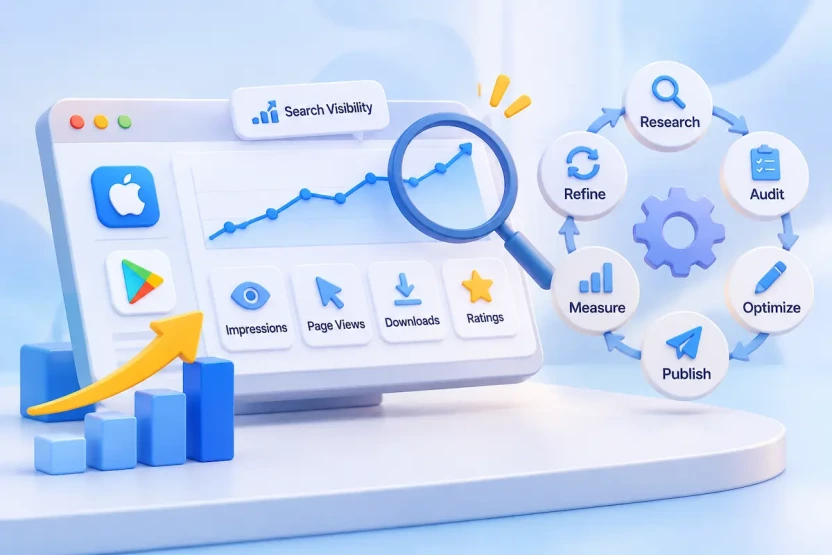
Treat optimization as a continuous loop:
Research → Audit → Optimize → Publish → Measure → Refine
Research: Identify new opportunities by reviewing search trends, competitor listings, and user needs.
Audit: Review current metadata, keyword performance, and listing conversion.
Optimize: Refine metadata and creative assets based on identified opportunities and listing performance.
Publish: Submit updates according to each platform’s requirements.
Measure: Track impressions, page views, downloads, conversion rates, and user feedback.
Refine: Use performance data and user feedback to guide the next round of improvements.
Record baseline data before making changes, and maintain a metadata change log that includes the update date, platform, localization, field changed, previous version, new version, and evaluation metric. This makes it easier to compare performance across updates and identify which changes may have contributed to observed results.
Allow enough time and traffic for performance data to stabilize before drawing conclusions. The appropriate evaluation period depends on traffic volume, experiment design, and market conditions.
App Store Listing Optimization Checklist
Use this checklist to review a listing from research through measurement. Each group maps to a section of this guide.
1. Keyword Research Checklist
2. Metadata Optimization Checklist
3. Creative Optimization Checklist
4. Localization Checklist
5. Compliance Checklist
6. Measurement Checklist
FAQs
Which Metadata Fields Affect App Store Search Visibility?
Apple identifies the App Name, Subtitle, Keywords, and Primary Category as text relevance factors. Its search algorithm also indexes the optional Secondary Category. Apple’s Description is not listed among these factors. Google Play has no dedicated Keywords field. Its guidance asks developers to describe the app accurately and use relevant terms naturally in the title, short description, and full description, but it does not publish a ranking formula.
Is App Store Listing Optimization the Same as ASO?
App Store Listing Optimization is a core part of App Store Optimization (ASO). Listing optimization focuses primarily on improving store page metadata and creative assets, while ASO can also include broader activities such as keyword research, competitive analysis, localization, and performance monitoring. These activities work together to improve an app’s discoverability and store page performance.
How Often Should You Update App Store Metadata?
There is no fixed update schedule that works for every app. Review metadata when keyword trends change, competitors adjust their listings, new features are released, or performance declines. Use performance data to determine whether an update is necessary rather than making frequent changes without a clear reason.
Does App Store Listing Optimization Increase Downloads?
It can improve search relevance and store page conversion, creating more opportunities to attract downloads. However, actual results also depend on product quality, competition, user feedback, pricing, and market conditions. Metadata optimization alone cannot guarantee download growth.
Can You Use the Same Metadata on the App Store and Google Play?
Core brand messaging and product information can remain consistent, but metadata should be adapted for each platform. Apple and Google Play have different field structures, character limits, keyword requirements, localization options, and content policies. Use platform-specific strategies rather than copying the same listing text directly.
Treat Every Listing Update as a Hypothesis
A successful store listing brings together search relevance, clear product messaging, and user trust. Metadata helps the right users discover an app, while persuasive and accurate listing content helps them understand its value and make an informed download decision.
That balance keeps shifting. Search terms change, competitors rewrite their listings, new features ship, and every market develops its own habits. Teams that get the most from a listing treat each metadata update as a hypothesis: record a baseline, make a focused change, measure the result, and carry what was learned into the next round of app marketing services.
Start with the field that offers the clearest opportunity for improvement, and let the data guide what comes next.