Key Takeaways
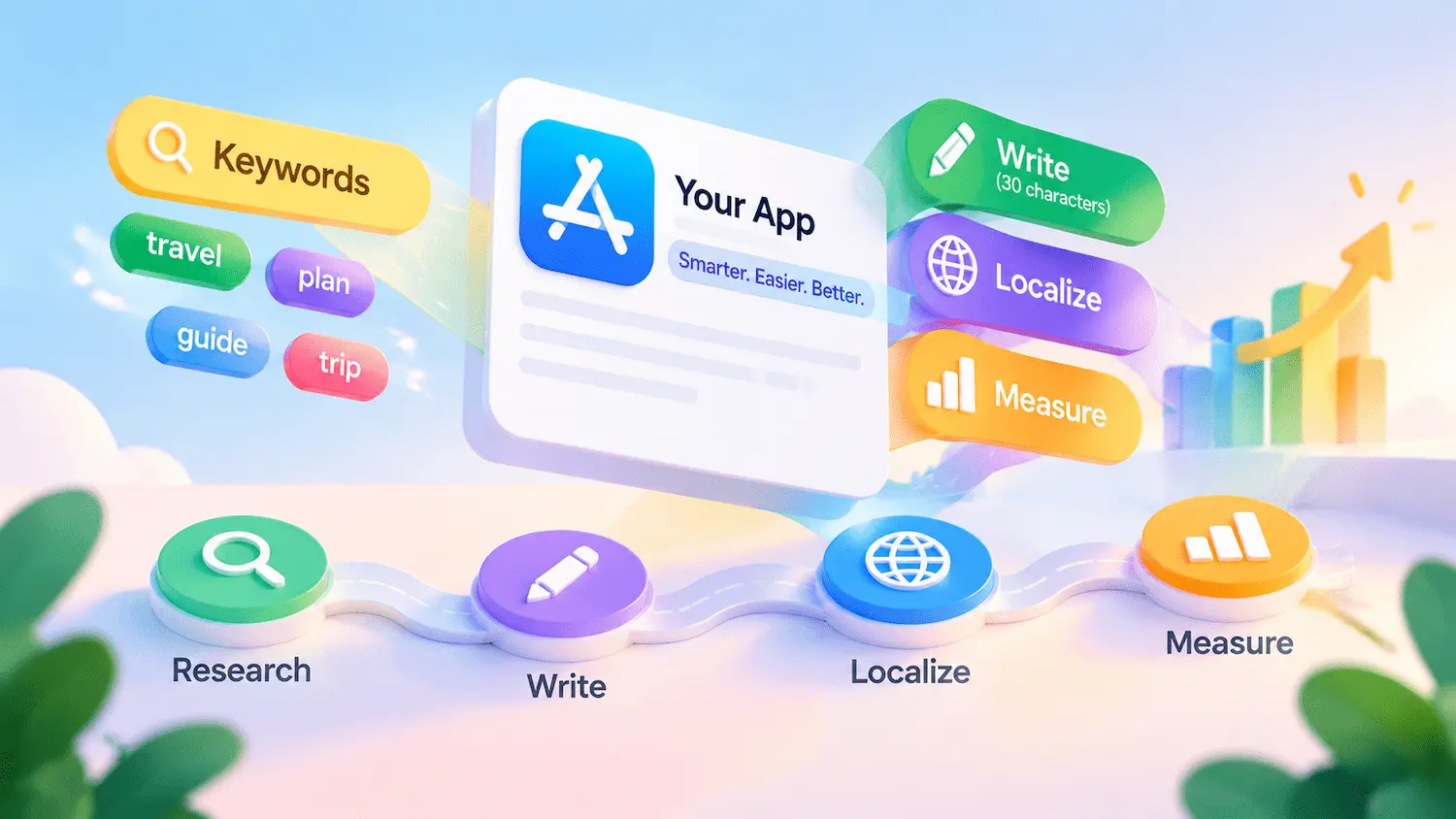
- Stay within 30 characters. Keep your subtitle clear, specific, and accurate.
- Choose relevant keywords. Prioritize relevance and search intent, then weigh demand and competition.
- Add unique value. Highlight a feature or benefit the app name doesn’t already convey.
- Localize naturally. Adapt wording to each market’s search behavior and recheck the character count.
- Track performance. Set a baseline, then monitor visibility, conversion, and downloads, changing one variable at a time.
An App Store subtitle appears beneath your app’s name and helps users understand its core value. Effective App Store subtitle ASO combines relevant keywords, clear messaging, and compliance with Apple’s metadata rules.
This guide covers the Apple App Store only: official requirements, keyword research, copywriting, localization, common mistakes, and measurement. The goal is to create a subtitle that supports relevant discovery while clearly communicating your app’s value.
What Is an App Store Subtitle?
The subtitle complements the app name by adding context that the name alone may not convey. Its limited space requires a careful balance between keyword relevance and clarity.
Definition, Placement, and Official Requirements
Apple sets specific requirements for subtitles, including a 30-character limit, accurate representation of the app, and compliance with metadata guidelines.
Character limit: A subtitle can contain up to 30 characters. Check the field counter in App Store Connect and review Apple’s official subtitle requirements rather than relying on a manual estimate.
Placement: Its exact presentation may vary by browsing context.
Localization: You can provide a separate subtitle for each localization.
Updates: Changing the subtitle requires submitting a new app version (see App Store Connect Help); unlike Promotional Text, it cannot be edited independently.
Metadata compliance: Subtitles must accurately represent the app. Avoid irrelevant keywords, competitor app names, misleading wording, and unverifiable claims. Apple’s App Review Guidelines (section 2.3.7) prohibit metadata that misrepresents an app or includes irrelevant terms intended to manipulate discovery.
These requirements make subtitle optimization a constrained writing task: the wording must fit the character limit, describe the product accurately, and give users a clear reason to consider the app.
Does the App Store Subtitle Affect Search Rankings?
Apple’s App Store Search guidance says search results are based on several factors, including text relevance (matches for your app’s title, subtitle, keywords, and primary category) and user behavior, such as downloads, ratings, and reviews. This makes App Store subtitle ASO an important part of keyword optimization: the terms you choose can help align your listing with the language users search for.
However, searchability does not establish the exact ranking weight of a field. Apple does not publicly disclose a precise formula showing how much the subtitle contributes to an app’s position for a particular query. Claims that a specific subtitle structure or keyword placement guarantees higher rankings should therefore be treated cautiously.
Third-party ASO platforms and practitioners may report patterns based on keyword tracking, competitive analysis, or their own datasets. These observations can inform testing, but they should be distinguished from Apple’s official documentation.
In practice, prioritize keywords that accurately describe the app and match the user’s likely intent.
Subtitle vs. App Name, Keywords Field, and Promotional Text
Keyword relevance is only part of the optimization process. Because the subtitle shares the metadata space with the app name, Keywords Field, and Promotional Text, understanding their different roles helps you use each field more effectively.
| Field | Character limit | Visible to users? | Search relevance | Update method |
| App Name | 30 characters | Yes | Yes | Submit a new version |
| Subtitle | 30 characters | Yes | Yes | Submit a new version |
| Keywords Field | 100 characters (product page guide) / up to 100 bytes (App Store Connect Help) | No | Yes | With a new version |
| Promotional Text | 170 characters | Yes | No — Apple says it does not affect search rankings | Can be updated without submitting a new version |
Apple’s two documents describe the Keywords Field limit differently: Creating Your Product Page says 100 characters, while App Store Connect Help says up to 100 bytes. These limits can differ for text containing multibyte characters, including many accented and non-Latin characters. Check the character or byte counter available in App Store Connect for the relevant localization rather than assuming the two limits are interchangeable.
Each field has its own job: the app name identifies the product, the subtitle adds concise context, and the Keywords Field supplies extra search terms without appearing as listing copy. Avoid repeating the same words across fields, so that each one contributes something new.
How to Research App Store Subtitle Keywords
Researching App Store subtitle keywords starts with your app’s core value and user intent. Evaluate candidate keywords for relevance, search demand, competition, and overlap with your app name before building a shortlist.
Start with Core Features and Search Intent
Begin with your app’s core features, target users, and main use cases. Then translate each feature into phrases users might type into App Store search. Grouping candidate phrases by intent can reveal different keyword angles to explore. The examples below use a trip-planning app:
- Feature terms: What the app does, such as “trip planner”
- Problem terms: What the user wants to fix, such as “lost travel plans”
- Context terms: Where or when the app is used, such as “road trip”
- Outcome terms: The result the user wants, such as “organize itinerary”
Prioritize keywords that reflect your app’s actual features and user intent. Exclude terms that misrepresent the product or conflict with Apple’s metadata rules.
Evaluate Candidate Keywords and Competitors
Score every candidate against the same five criteria:
- Relevance: Does it accurately describe the app’s function or the user’s need?
- Demand signal: Is there evidence that people search for it?
- Competition: Which apps appear for this term, and how established are they?
- Metadata overlap: Does the word or its root already appear in your app name?
- Subtitle fit: Can it be expressed naturally within the character limit?
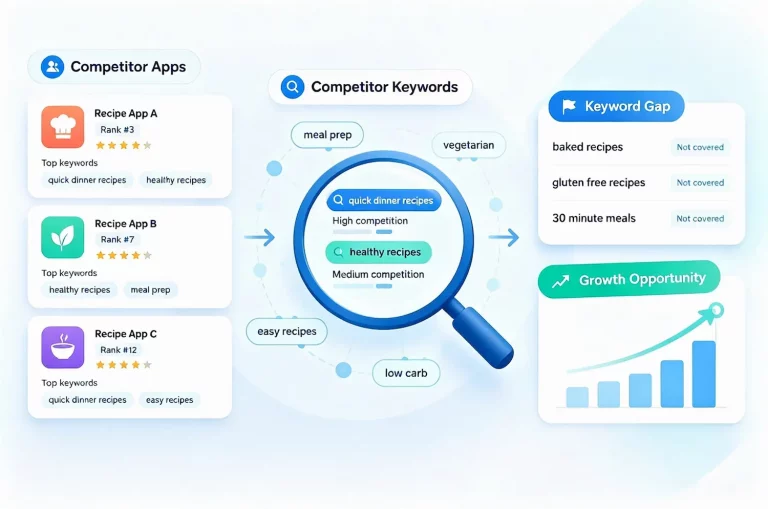
Competitor subtitles can reveal how similar apps position their features and which phrases are common in your category. However, a competitor’s use of a keyword does not prove its effectiveness. Treat it as a candidate to validate against relevance, demand, and competition.
Apply the same caution to tool data. A free ASO keyword tool can help you compare keyword popularity and competition when evaluating candidates. However, third-party ASO metrics are estimates or relative indicators, and Apple does not publish exact search counts for every keyword. Use these figures to compare opportunities rather than treating them as absolute values. For a deeper explanation, read our guide to how app store search volume is estimated and how to interpret it.
Build a Subtitle Keyword Shortlist
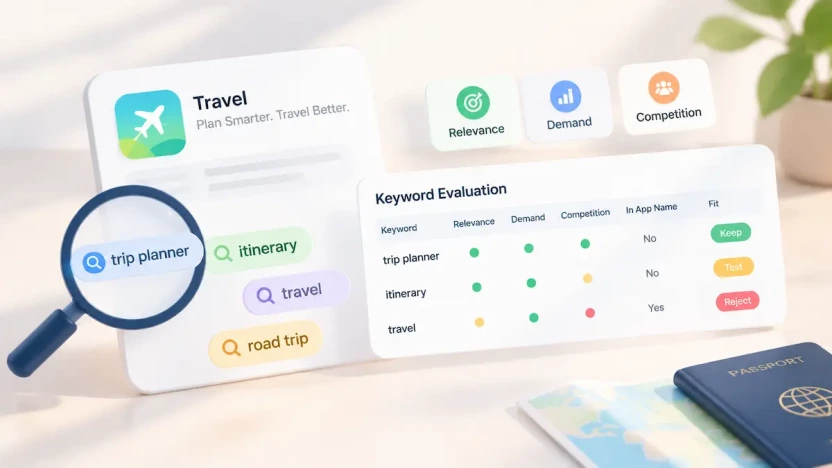
Record potential App Store subtitle keywords in a simple table to compare candidates consistently and revisit your choices later. The values below are for illustration only, assuming the app name already contains the word “Travel”:
| Keyword | Relevance | Demand Signal | Competition | Already in App Name? | Decision |
| trip planner | High | High | High | No | Keep |
| itinerary | High | Medium | Medium | No | Test |
| travel | Medium | High | High | Yes | Reject |
Use relevance as the first filter, then compare demand, competition, metadata overlap, and subtitle fit. The shortlist should identify which keywords to keep, test, or reject based on how well they support the app’s positioning—not on search demand alone.
App Store Subtitle ASO: How to Write Within 30 Characters
Once you have a keyword shortlist, the next step is to turn it into a clear, specific subtitle that fits within Apple’s 30-character limit. For guidance on allocating keywords across the App Name, Subtitle, and Keywords Field, see our Apple App Store keyword research.
Choose One Core Theme and Use a Simple Formula
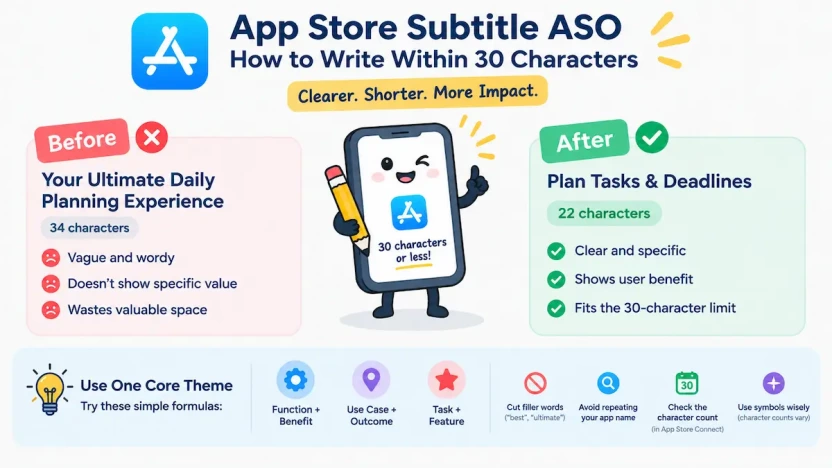
Effective App Store subtitle ASO starts with one clear theme. Three useful structures are core function plus user benefit, primary use case plus key outcome, or specific task plus differentiating feature. Treat these as starting points, not rigid templates, and adapt the wording to your app.
Make sure first-time readers can understand what the app does. Use target keywords only when they fit naturally into the subtitle; avoid strings of search terms that read like a list rather than a clear message.
Cut Filler and Check the Character Count
Most first drafts run long because they include words that add little meaning. Words like “best” or “ultimate” often add little descriptive value. Avoid claims that are misleading, inaccurate, or unsupported. Replace vague promotional language with the specific action or result the app delivers.
Check your app name before deciding what to cut. If the name already explains the main function, repeating it in the subtitle may waste valuable space. For example, if an app is called “Daily Planner,” a subtitle focused on another relevant function, such as task tracking, may communicate more added value than one that simply repeats the planning concept.
Avoid unnecessary repetition, but do not remove a shared word if doing so makes the subtitle less natural or clear. Judge each phrase in the context of your full metadata.
Compact punctuation such as an ampersand can save space, provided the subtitle remains clear and fits your product’s tone. Be careful with emojis and special symbols, as their character counts may not match what you see on screen. Rather than estimating manually, check the final subtitle against the limit in App Store Connect before submitting it for review.
App Store Subtitle Examples: Before and After
The examples below show how vague, wordy, or list-style subtitles can be rewritten into clearer, more specific copy.
| Before | After | Character Count | Primary Intent | Why It Works |
| Your Ultimate Daily Planning Experience | Plan Tasks & Deadlines | 22 | Task planning | Replaces vague promotional wording with specific tasks |
| The Best Tool for Organizing Your Trips | Plan Trips & Save Places | 24 | Trip planning | Describes concrete actions instead of making a broad quality claim |
| Music, Playlists, Songs, and More | Create Custom Playlists | 23 | Playlist creation | Replaces a list of related terms with one clear user action |
You do not need to use all 30 characters. Add wording only when it contributes useful information and keeps the subtitle natural. These examples illustrate copywriting principles, not proven ASO results. Verify the final character count in App Store Connect before publishing.
Common App Store Subtitle Mistakes and Pre-Publish Checklist
A well-written App Store subtitle should clearly communicate your app’s value, use relevant keywords naturally, and comply with Apple’s metadata requirements. Before publishing, avoid these common mistakes and use the checklist below to validate your final subtitle.
Common Subtitle Mistakes to Avoid
1. Using vague slogans
Phrases like “Great Experience” sound positive but tell users little about what your app does. Focus on a specific feature, use case, or benefit that users can understand at a glance.
2. Stuffing keywords or repeating the app name
Adding too many keywords can make your subtitle awkward and difficult to read. Avoid repeating terms already covered by your app name unless the repetition serves a clear purpose. Prioritize natural phrasing and meaningful information.
3. Targeting keywords that do not match user intent
High search volume alone does not make a keyword a good choice. Select terms that reflect your app’s actual functionality and your target users’ needs, then evaluate their search demand and competition.
4. Making unsupported claims or misleading users
Avoid unsubstantiated claims about rankings, quality, or results, as well as competitor names or descriptions that imply features your app does not offer. Ensure your metadata accurately represents your app and follows Apple’s App Review Guidelines.
Pre-Publish Checklist
Before submitting your app or updating its metadata, confirm that your subtitle meets these requirements:
How to Localize App Store Subtitle Keywords
Localizing a subtitle is more than translating text. The goal is to reach users in each market with language that reflects how they search, which may require different keywords or a rewritten subtitle.
Research Local Search Language
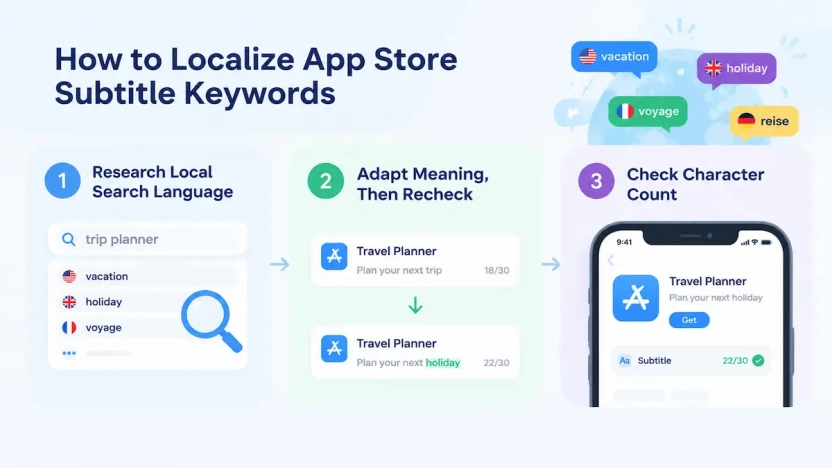
Start with how users in the target market describe the problem your app solves. Compare local search terms with relevant competitor subtitles, and prioritize wording that reflects local search behavior rather than translating your English keyword list directly. For implementation details, see Apple’s guide to localizing app information.
Even within one language, word choice can vary by region. American English speakers may say “vacation” where British English speakers say “holiday.” A trip-planning subtitle may therefore need different wording for different English-speaking markets.
Adapt Meaning, Then Recheck the Character Count
Adapt the wording to preserve the app’s core function and user intent while sounding natural in the target market.
Each localized subtitle has its own 30-character limit. Check the text in App Store Connect for each localization, then confirm that it accurately describes the app and complies with Apple’s metadata requirements.
How to Measure and Update Your App Store Subtitle
Once your subtitle is live, evaluate its performance using a consistent baseline and clearly defined metrics. Track search visibility, product page conversion, and downloads together, while accounting for other factors that may affect results. For a broader framework covering visibility and conversion, see our guide to App Store optimization best practices.
Record a Baseline and Track the Right Data
Before changing the subtitle, record a baseline using consistent data sources and metric definitions. Also record the date of each change, the exact subtitle text, the target keywords, and any concurrent marketing activity, so you can distinguish possible subtitle effects from other influences. Track three areas:
Search visibility. Track the visibility or ranking of your target keywords, and check whether those keywords remain relevant to the app’s positioning. Third-party ranking tools provide estimates, so use their results to identify trends rather than treating every position as exact.
Product page performance. Review available impression and conversion metrics to assess whether the listing is attracting attention and encouraging users to install.
Downloads. Monitor install trends, but do not attribute every change to the subtitle. Marketing campaigns, product updates, seasonality, and other factors can also affect installs.
When to Keep, Revise, or Replace a Subtitle
If keyword relevance is weak, the wording is unclear, or conversion problems persist, review both the keyword choices and the copy. Where practical, keep other major metadata and marketing variables stable and change one main variable at a time. This makes results easier to interpret, although it cannot eliminate every external influence. This is a testing practice, not an Apple requirement.
Plan changes carefully because updating the subtitle generally requires submitting a new app version for review. Changing it too frequently leaves less time to collect useful data and makes results harder to interpret.
Keep the subtitle when it remains relevant and clear and performance is stable. Revise it when the evidence points to a specific weakness, and assess the results over a suitable period rather than reacting to short-term ranking changes.
Replace it when the current approach no longer fits the app: for example, when the app’s core function or target audience has changed, when the subtitle’s theme no longer matches how users search, or when repeated revisions of the same theme have not improved visibility or conversion. Treat a replacement as a new hypothesis: record a fresh baseline and change one main variable at a time.
Thirty Characters, One Clear Promise
With only 30 characters, your subtitle must make your app’s value immediately clear. Would someone unfamiliar with your app understand what it does and why it matters?
Keyword tools can estimate demand, competitor listings can suggest phrasing, and Apple’s guidelines define what is allowed. But none of them can decide which value your app should communicate or which users it should target. Treat your subtitle as a hypothesis to test, not a final answer. Refine it as performance data and user needs evolve.